Changing a lock combo can feel impossible if you use the wrong steps for your specific model. Whether you have a Master Lock built-in unit, a D30D dial, or a SelfPak padlock, the reset process varies significantly between them.
This guide details exactly how to change a lock combo for these three major types without locking yourself out. You will learn the precise key turns, shackle pressures, and dial positions required to set your new code successfully.
Identify Your Master Lock Built-In Model Features
The Master Lock built-in series uses a fixed cycle of five factory-set combinations rather than allowing custom codes. You cannot invent a new number sequence; you simply advance to the next option in the pre-determined list provided on your control chart.
Verify Your Lock Specifications
Check your device for these specific traits to confirm it uses the key-advance system:
* A single dial with numbers ranging from 0 to 49
* A small keyhole located on the bottom or side of the body
* A recessed button found on the back of the unit
* An included paper control chart listing five distinct combination sets
If your lock matches this description, you must follow the cycling procedure exactly to access your next code.
Execute the Five-Step Reset for Built-In Locks
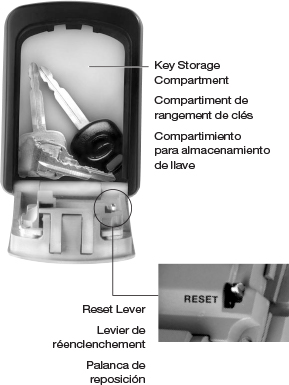
This procedure advances your lock to the next combination in its five-step sequence. Precision is critical because missing a single step means the new code will not register.
Follow the Exact Key and Dial Sequence
- Insert and turn the key: Push the key fully into the cylinder and turn it clockwise until it stops. Do not force it past the mechanical stop.
- Set the dial to zero: While holding the key in the turned position, rotate the dial until it aligns perfectly with the number 0.
- Press the rear button: Locate the small button on the back of the lock body and press it down. You must keep this button held continuously.
- Advance the dial two marks: While holding the button, turn the dial clockwise exactly two marks past zero. On most dials, this lands you at number 48.
- Release and remove: Let go of the rear button first, then turn the key back to vertical and pull it out completely.
Engage the New Combination
Turn the dial clockwise until you hear a distinct click. This sound confirms the internal mechanism has successfully engaged the next combination in your sequence.
Validate Your New Master Lock Code
Testing is the only way to ensure the reset worked before you secure your belongings. Refer to your control chart to find the next combination in the sequence and attempt to open the lock.
Troubleshoot Reset Failures
If the lock does not open, check these common errors before trying again:
* The dial was not aligned exactly at zero before you pressed the rear button.
* You released the rear button too early during the two-mark turn.
* The key was not fully turned to the stop or removed completely.
* You misidentified your current position in the five-combo cycle.
Pro Tip: There is no undo button for this process. If the reset fails, you must repeat the entire procedure from the beginning to cycle forward again.
Program a Custom Code on Master Lock D30D

The Master Lock D30D allows you to create any three-digit combination you prefer. This model relies on shackle pressure and specific physical orientation to enter programming mode.
Orient the Lock Correctly
Before starting, ensure the lock is fully unlocked using the current code. Turn the lock body 90 degrees so the notch where the shackle meets the body faces upward. This specific angle is required for the internal reset lever to engage properly.
Set Your Three-Digit Combination
- Depress the shackle: Push the shackle straight down into the lock body and hold it there. Do not release this pressure until the process is complete.
- Rotate the dials: While maintaining downward force, turn each of the three dials to your desired numbers.
- Release the shackle: Once all digits are set, let go of the shackle so it springs back up to its normal position.
- Scramble the dials: Spin the dials at least two full turns to clear the old code and activate the new one.
Confirm Your New Settings
Align the dials to your new code and pull the shackle. If it does not release, verify that the notch was facing up and that you maintained constant pressure on the shackle while setting the digits.
Warning: Skipping the final scramble step leaves the lock in a transitional state. The old code might still work, or neither code will function until you scramble the dials.
Reset SelfPak Padlocks Using the Side Key
SelfPak padlocks require a special key to authorize changes to your four-digit code. This system prevents accidental changes but demands that you push past initial resistance.
Prepare the Lock for Programming
Set all four dials to 0-0-0-0 before beginning. This is a strict requirement; the key will not turn if the dials are set to any other number. Open the shackle by pushing down on the top and keep it open during the entire process.
Program Your Four-Digit Code
- Insert the side key: Locate the keyhole on the side of the lock body and insert the key fully.
- Push past resistance: Apply firm pressure to push the key past the first point of resistance, then turn it 90 degrees clockwise.
- Select your numbers: Turn each of the four dials to your chosen combination while holding the key in place.
- Lock the setting: Turn the key 90 degrees counter-clockwise and remove it completely from the lock.
- Finalize the change: Scramble the dials and close the shackle to secure the lock with your new code.
Test Before Storage
Re-enter your new four-digit code to ensure the shackle releases smoothly. If it fails, check that you pushed the key past the initial resistance point and did not turn it counter-clockwise before setting the digits.
Expert Note: Unlike the built-in models, the SelfPak allows instant overwriting of codes. You do not need to cycle through previous numbers.
Compare Reset Methods Across Models
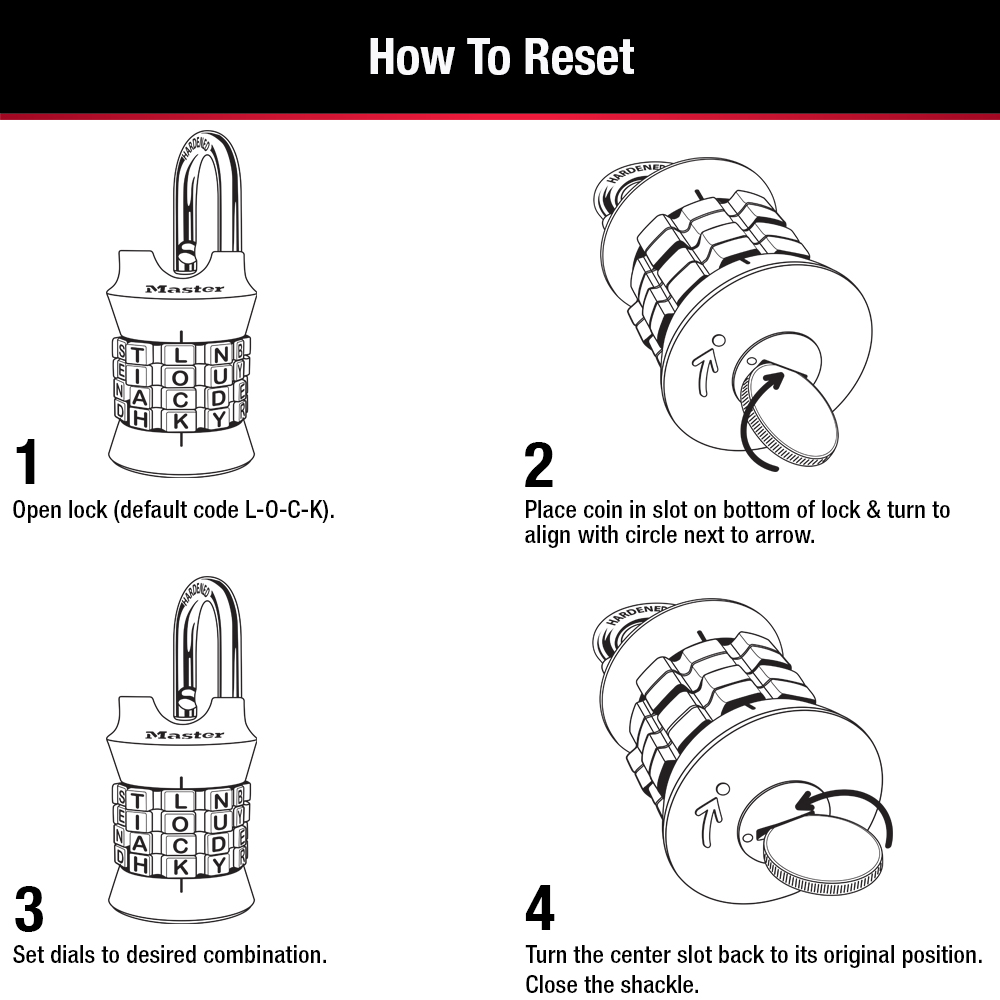
Use this table to quickly identify the critical differences between these lock types and avoid using the wrong technique.
| Feature | Master Built-In | Master D30D | SelfPak |
|---|---|---|---|
| Combo Type | 5 preset codes | Any 3-digit | Any 4-digit |
| User Control | Cycle only | Full choice | Full choice |
| Reset Tool | Key + rear button | Shackle pressure | Side key |
| Critical Step | Hold button while turning | Keep shackle pressed | Push key past resistance |
| Reversible? | Must cycle forward | Instant change | Instant change |
| No Key Needed? | No | Yes | No |
Diagnose Common Combination Change Failures
Even small deviations in technique can prevent a successful reset. Here is how to fix specific issues based on your lock model.
Address Lock Refusal to Open
- Master Built-In: You may be testing the wrong code from your chart. Try cycling through all five positions or re-verify that the dial was at zero.
- D30D: The most likely cause is insufficient shackle pressure or releasing it too early. Ensure the notch faced upward during the reset.
- SelfPak: The key likely did not engage programming mode. Confirm you pushed past the initial resistance before turning.
Pro Tip: Always test your new combination three times in a row before relying on it for security.
Prevent Future Lockouts With Best Practices
Changing a lock combo is simple when you follow the rules, but errors can lead to permanent lockouts. Adopt these habits to ensure success every time.
Verify Before Securing Valuables
Never close a locker or suitcase until you have opened the lock with the new code at least once. Scramble the dials and re-enter the code to ensure it works from multiple angles.
Track Your Combinations Carefully
- For Built-In Models: Keep your control chart in a safe place and mark which of the five codes is active. Losing this chart means you must trial-and-error all five codes to gain access.
- For Custom Models: Write down your new D30D or SelfPak code temporarily or store it in a password manager. There is no recovery option if you forget a user-defined code.
Apply Firm and Confident Motion
These mechanisms require positive action to function. Push the D30D shackle hard enough to depress the internal lever and drive the SelfPak key past the stop. Gentle handling often leads to failure.
Key Takeaways for Changing Your Lock Combo
Mastering how to change a lock combo requires knowing your specific model and following its unique mechanical steps. Whether you are cycling through preset codes on a built-in lock or programming a custom number on a D30D or SelfPak, precision determines success.
Always test your new code immediately and track your combinations securely to avoid being locked out. With these steps, you can confidently reset your lock and secure your belongings.
Frequently Asked Questions About Changing Lock Combos
Can I choose my own combination for a Master Lock built-in model?
No, the built-in series uses a fixed sequence of five factory-set combinations. You cannot create a custom number; you can only advance to the next code in the pre-determined cycle listed on your control chart.
What happens if I forget my custom combination on a D30D or SelfPak lock?
There is no recovery combination or reset button for user-defined codes. If you forget your custom code, you cannot open the lock without contacting the manufacturer or cutting the lock, so recording your code securely is essential.
Why won’t my Master Lock D30D accept my new combination?
This usually happens if the lock was not oriented correctly with the notch facing up or if you released pressure on the shackle too early. You must maintain firm downward pressure on the shackle while setting all three digits.
How do I know if my SelfPak key turned far enough to program the lock?
You must push the key past the first point of resistance before turning it 90 degrees. If you do not push past this initial stop, the lock will not enter programming mode, and your new code will not save.
Is it necessary to scramble the dials after setting a new code?
Yes, scrambling the dials at least two full turns is a mandatory step for D30D and SelfPak models. This action clears the old code from the mechanism and ensures the new combination is fully activated.
Can I reverse the combination change if I make a mistake?
For built-in models, you cannot reverse the process; you must cycle forward through the remaining combinations to return to a previous code. For D30D and SelfPak models, you can simply repeat the reset procedure to overwrite the code instantly.