You likely noticed a tiny rectangular slot on your laptop side and wondered how does a Kensington lock work to stop theft. This small feature is a critical defense mechanism that physically anchors your valuable electronics to stationary objects using a steel cable.
This guide explains the exact mechanics of the locking tab, how to engage it properly, and which devices support this standard security measure. You will learn to identify compatible gear, avoid common installation errors, and select the right lock type for your specific environment.
Locate the Kensington Security Slot on Your Device
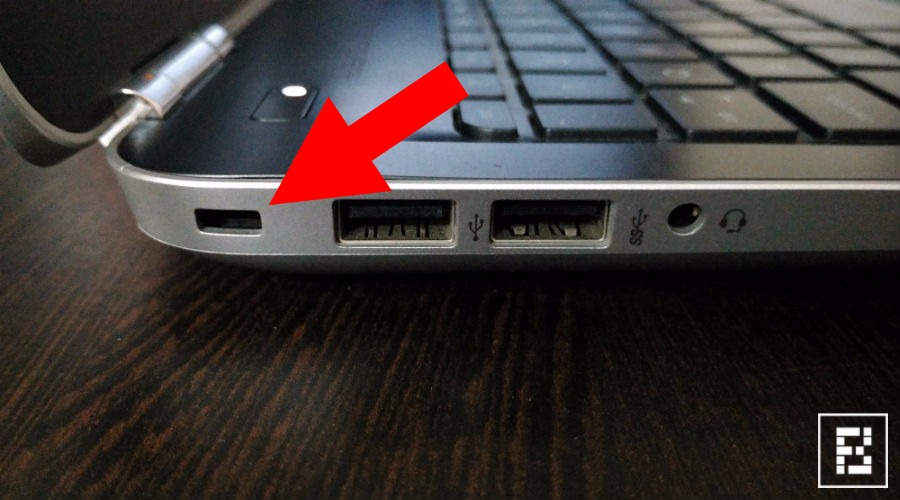
Finding the anchor point is the first step before you can secure your equipment effectively. Most manufacturers place this slot on the side panel near USB ports or on the rear chassis of desktop units.
Identify the Standard Slot Dimensions
The security slot is a reinforced hole measuring approximately 3mm by 7mm. It is not merely an opening but a hardened metal bracket integrated into the device frame during production. Look for a small icon resembling a padlock with a “K” next to the hole to confirm compatibility.
Verify Compatibility Before Buying
Not every portable computer includes this feature, especially ultra-slim models or tablets. Check your user manual or inspect the device edges physically to ensure the slot exists. Assuming compatibility without checking can lead to purchasing a useless security cable.
Insert and Engage the Locking Mechanism Correctly
Proper insertion ensures the internal bracket catches the locking tab securely. A loose fit means the device is not actually protected against removal.
Push the Tether Until It Clicks
Insert the metal T-bar end of the cable straight into the slot until you hear a distinct click. This sound confirms the internal latch has expanded behind the reinforced bracket inside the chassis. Visual inspection should show the metal tab sitting flush against the device surface with no wobble.
Rotate the Lock Head to Secure
Many models require you to rotate the lock head 90 degrees after insertion to fully engage the deadlock. This rotation prevents the T-bar from retracting even if someone tries to manipulate the mechanism without a key. Failure to rotate the head leaves the internal latch vulnerable to simple extraction tricks.
Anchor Your Device to an Immovable Object
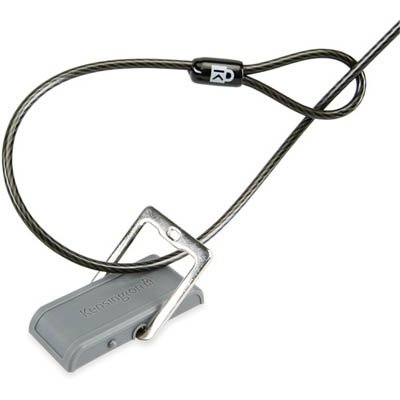
The strength of this security system relies entirely on what you attach the cable to. A lock connected to a loose chair leg offers zero protection against theft.
Select a Solid Anchor Point
Choose heavy furniture like steel desk frames or bolted-down tables as your attachment point. The goal is to ensure the object cannot be lifted, carried away, or easily broken. Avoid wrapping the cable around power strips, flimsy plastic chairs, or curtain rods.
Prevent Cut-and-Run Theft Attempts
Thieves often carry bolt cutters to slice through cables quickly in public spaces. Route your cable through tight spaces under desks or use models with hardened steel braiding to increase cutting time. The added difficulty often discourages opportunistic criminals who seek easy targets.
Remove the Lock Without Damaging Equipment
Safe removal requires reversing the engagement process to avoid bending the internal bracket or breaking the lock. Rushing this step can ruin the security slot for future use.
Unlock Using Key or Combination
Insert your specific key or dial the correct combination code to release the internal latch mechanism. Turn the key gently until you feel the lock disengage, then rotate the head back to its original aligned position if your model requires it.
Extract the Tab Gently and Straight
Pull the metal tab directly outward without wiggling or angling it excessively. Forcing the tab out while the lock is still partially engaged can deform the internal metal bracket permanently. If resistance occurs, double-check that the key is turned fully to the unlock position.
Compatible Devices for Physical Security
Understanding which gadgets support this standard helps you plan your security setup across different types of hardware.
Laptops and Business Notebooks
Most business-grade laptops from major brands include this slot as a standard feature. Consumer ultrabooks vary significantly, so verification is essential before assuming your specific model supports a cable lock.
Desktops Monitors and Projectors
Desktop towers often place the slot on the rear panel near power connectors for easy access. Monitors and projectors frequently include them because these items are left unattended in conference rooms and classrooms often.
Gaming Consoles and Specialized Gear
Certain gaming consoles designed for commercial or retail use feature built-in lock slots. Always consult your specific console manual since consumer home models often omit this security feature to save space.
Alternatives for Devices Without Built-in Slots
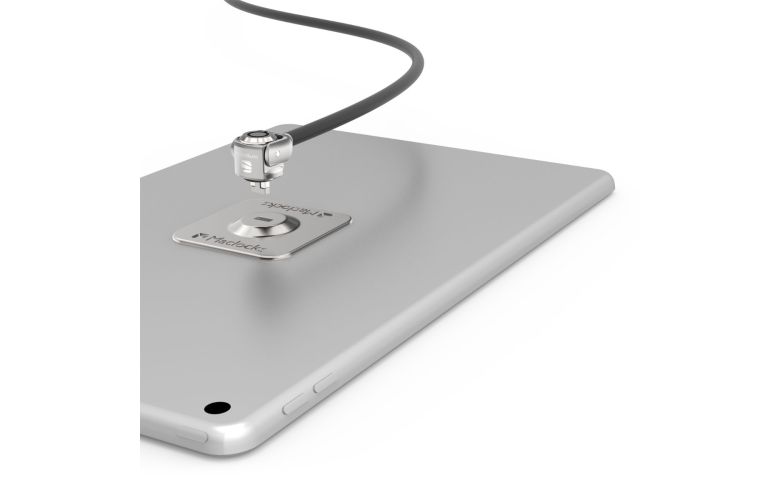
You can still secure devices that lack the factory-installed hole by using external adaptation methods. These solutions bridge the gap for modern slim devices.
Apply Adhesive Security Plates
Stick-on metal plates provide an artificial anchor point for devices like tablets and smartphones. These plates adhere strongly to the back of the device and feature a loop compatible with standard security cables. Note that adhesive strength varies and may not withstand extreme force compared to built-in slots.
Utilize Locking Enclosures
Full security enclosures surround the entire device and lock down with a cable attachment. This method offers superior protection for tablets and all-in-one computers by preventing access to ports and buttons while anchored.
Choose the Right Lock Type for Your Needs
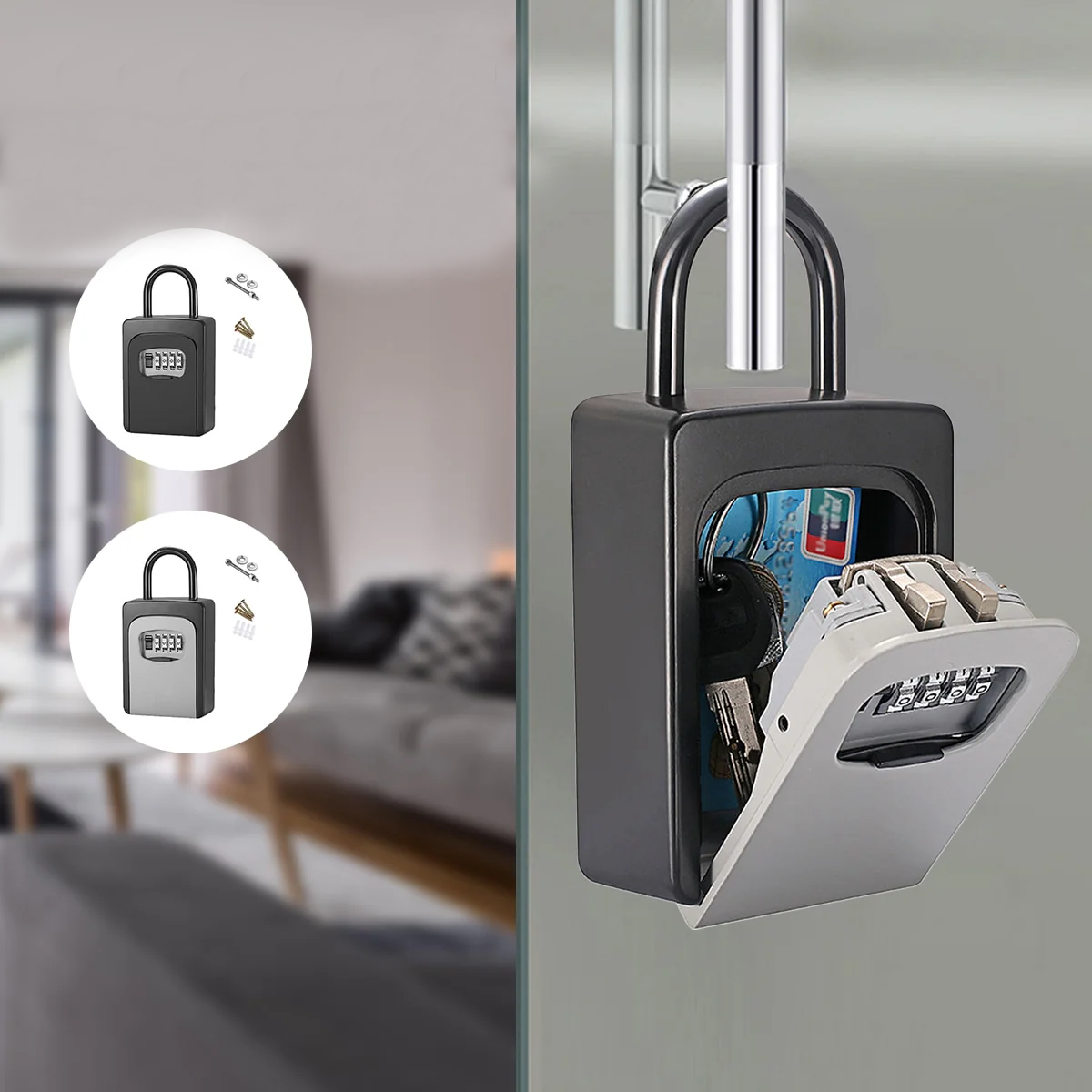
Selecting the correct lock depends on your balance between convenience and maximum security requirements. Different mechanisms offer distinct advantages for various environments.
Keyed Versus Combination Mechanisms
Keyed locks generally offer higher security since they cannot be guessed or shimmed easily. Combination locks provide keyless convenience but require you to remember codes and protect against shoulder surfing.
Enhanced Features for High Risk Areas
Look for locks with integrated alarms that sound if the cable is cut or tampered with. Models with thick steel braiding and anti-rotation designs provide extra defense in high-traffic public areas like libraries or coffee shops.
Best Practices for Maximum Theft Deterrence
Effective security combines proper hardware usage with smart behavioral habits. Consistent application of these practices reduces risk significantly.
Combine Physical and Digital Security
Pair your physical lock with encryption and remote tracking software for comprehensive protection. If a thief manages to steal the device despite the lock, digital measures help recover data or locate the unit.
Inspect Your Setup Regularly
Check your cable and lock head periodically for signs of wear or tampering attempts. Replace any frayed cables immediately since compromised hardware offers a false sense of security.
Final Thoughts on How a Kensington Lock Works
Understanding how a Kensington lock work allows you to protect your electronics effectively in shared spaces. By anchoring your device to a solid object with a steel cable, you create a significant barrier against opportunistic theft. Remember that no lock is unbreakable, but increasing the effort required to steal your gear often makes thieves move to easier targets.
Invest in a high-quality cable with robust features and always verify your device compatibility before purchase. Combine this physical deterrent with digital safety measures for the best possible protection of your valuable technology assets.
Frequently Asked Questions About Kensington Locks
Can I add a Kensington slot to a laptop that lacks one?
You cannot install a factory slot yourself as it requires internal chassis reinforcement during manufacturing. Instead, use adhesive security plates or locking enclosures designed for devices without built-in slots.
Do all gaming consoles support Kensington locks?
No, only specific commercial or retail models typically include the security slot. Most home gaming consoles do not have this feature, so you must check your specific model specifications.
What happens if I lose the key to my lock?
Losing the key makes removal difficult without damaging the lock or device slot. Some manufacturers offer replacement keys if you have the serial number, otherwise professional removal may be necessary.
Are combination locks less secure than keyed locks?
Combination locks can be vulnerable to code guessing or shimming if they are low quality. High-end combination models offer strong security, but keyed versions generally provide better resistance to manipulation.
Can I use one lock to secure multiple devices?
Standard cables secure one device, but specialized multi-head cables exist for locking several items together. You can loop a single cable through multiple slots if the devices are close together and the cable is long enough.
How do I know if my lock is engaged properly?
You should hear a clear click upon insertion and see the tab sit flush with no movement. Try pulling gently on the cable; if it slides out, the mechanism has not engaged the internal bracket correctly.