Your Kwikset lock no longer needs a locksmith just because you lost a key or moved into a new home. You can change Kwikset lock keys yourself in under one minute using the built-in SmartKey Security technology found on most modern models. This system lets you disable old keys instantly without removing the lock from your door or buying expensive new hardware.
This guide walks you through the exact steps to re-key your lock using the current key, a new key, and the small SmartKey tool. You will learn how to sync multiple doors to one key, troubleshoot common mistakes, and maintain your lock for long-term security.
Identify If Your Kwikset Lock Supports Re-Keying
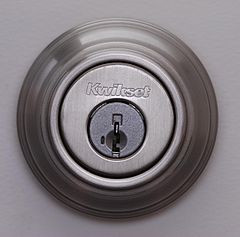
Not every Kwikset lock uses the SmartKey system, so you must verify compatibility before buying tools. The technology is standard on most deadbolts, door knobs, levers, and electronic SmartCode models like the 910 or 955 series.
Locate the SmartKey Slot
Look closely at the face of your lock cylinder right next to the keyhole. You should see a tiny oval or rectangular slot distinct from the main keyway. This specific opening is where the SmartKey tool inserts to reset the internal wafers.
Check Compatible Models
SmartKey technology works across various Kwikset product lines including mechanical deadbolts and electronic keypad locks. Re-keying only affects the physical key mechanism while leaving electronic features like PIN codes or app controls fully functional.
Gather the Required Tools for Re-Keying
You do not need a full toolbox to change Kwikset lock keys, as the process requires only three specific items. Having these ready before you start prevents interruptions that could compromise the security of your door.
Essential Items List
- Current operating key: The key that currently opens the lock
- New silver key: A fresh key from a SmartKey Re-Key Kit
- SmartKey tool: The small metal reset tool included in the kit
Purchase a Re-Key Kit
A SmartKey Re-Key Kit typically costs between $8 and $10 at major hardware stores or online retailers. The kit includes one SmartKey tool and four silver keys, providing a master key and three backups for your home.
Prepare Your Lock and Door Safely
Skipping safety preparations can lead to accidental lockouts or damage to the mechanism. Proper setup ensures the internal components align correctly for a successful reset.
Critical Safety Precautions
- Keep the door wide open to prevent accidental locking during the process
- Ensure alternate entry via a window or second door is available
- Secure pets and children away from small keys and tools
Set the Correct Lock Position
Deadbolts must be in the locked position with the bolt fully extended before you begin. Knobs and levers should also be engaged in their locked state to align the internal cylinder properly.
Step-by-Step Guide to Change Kwikset Lock Keys
Follow this manufacturer-approved sequence precisely to ensure your new key works immediately. Deviating from these angles or the order of operations is the most common cause of failure.
Insert Current Key and Turn 90 Degrees Clockwise
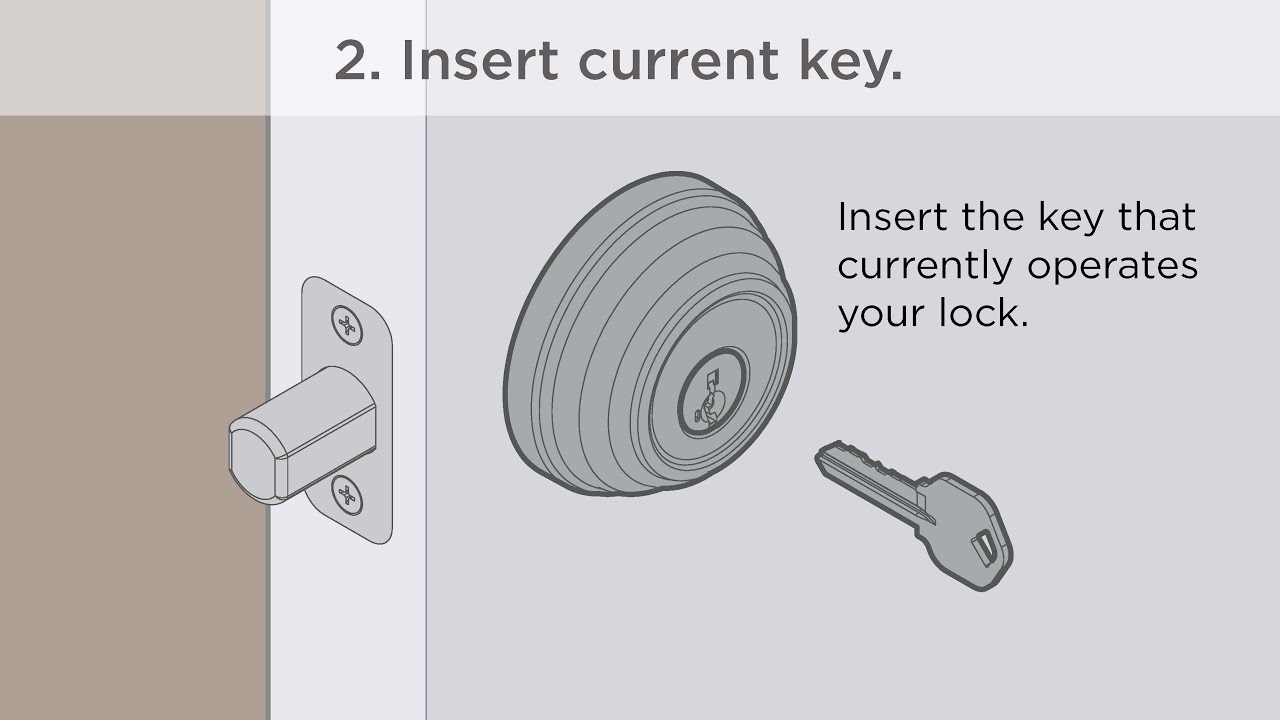
Insert your existing working key fully into the keyway until it stops. Rotate the key exactly 90 degrees clockwise, which is a quarter turn to the right. Hold the key in this horizontal position to align the internal wafers for the reset procedure.
Visual Cue: The key head should now be pointing directly to the right if it started pointing up.
Engage and Remove the SmartKey Tool
Push the SmartKey tool firmly into the small slot next to the keyhole until you feel or hear a click. This click confirms the tool has engaged the internal sidebar mechanism required to release the old key coding.
- Pull the SmartKey tool straight out of the slot first
- Remove the current key from the lock immediately after
Warning: Never remove the current key before extracting the SmartKey tool, as this resets the process and requires starting over.
Program the New Key with Specific Rotations
Insert the new silver key from your kit all the way into the keyway until it touches the back indent. You must now perform a specific series of rotations to lock in the new key cuts.
- Turn the key 180 degrees counter-clockwise (half turn left)
- Turn the key 180 degrees clockwise (back toward vertical)
- Gently tug the key to ensure it does not pull out
- Rotate the key 90 degrees counter-clockwise to return to vertical
Success Indicator: If the key stays lodged when you tug it gently, the new code has been accepted by the lock.
Test the New Key and Discard the Old One
Remove the new key from the lock and test it by locking and unlocking the mechanism several times. Try inserting the old key to confirm it no longer turns or enters the keyway fully.
- New key: Should turn smoothly and operate the bolt without resistance
- Old key: Should fail to insert completely or refuse to turn
- Double check: Test from both sides of the door to ensure full functionality
Sync Multiple Locks to One Master Key
You can make one key operate every SmartKey door in your house by repeating the process on each lock. This creates a convenient single-key system for your entire home without replacing any hardware.
Create a Single-Key System
Select one silver key from your kit to serve as your master key for the whole house. Perform the full re-keying sequence on every front door, back door, and garage entry lock using this exact same key.
Locks to Include
- Main entry deadbolt
- Front door knob or lever
- Rear entry locks
- Interior privacy locks with SmartKey
Result: You will only need to carry one key to open every re-keyed door in your residence.
Troubleshoot Common Re-Keying Issues
Even small errors in angle or insertion depth can cause the process to fail. Understanding these common pitfalls helps you fix problems quickly without panic.
New Key Will Not Stay Inserted
This issue usually means the key was not pushed deep enough or the rotation sequence was incomplete. Restart the process and ensure the key touches the back indent before turning.
Neither Key Works After Attempt
If neither the old nor new key works, the lock is in a “half-reset” state due to incorrect rotation. Use the old key to re-initiate the process, ensuring you turn exactly 180 degrees in each direction.
Old Key Still Operates the Lock
The re-keying sequence likely did not complete fully, leaving the old code active. Clean any debris from the keyway with compressed air and repeat the steps, double-checking the 180-degree rotations.
Handle Special Scenarios and Lost Keys
Certain situations require different approaches, such as when the current key is missing or the lock is installed upside down.
What If the Current Key Is Lost?
You cannot change Kwikset lock keys without the current operating key because the system requires it to align the wafers. If the key is lost, you must contact a locksmith to drill the lock or replace the entire cylinder unit.
Re-Keying Upside-Down Installations
The orientation of the lock does not change the procedure for SmartKey technology. Simply insert the key upside down and follow the same rotational steps relative to the key’s position.
Maintain Your SmartKey Lock System
Proper maintenance ensures your lock remains reliable and easy to re-key in the future. Regular care prevents debris buildup that could interfere with the wafer mechanism.
Lubrication Best Practices
Use only dry graphite lubricant on your keyway if the key feels stiff or difficult to turn. Avoid oil-based products like WD-40, as they attract dust and can gum up the internal wafers.
Battery Considerations for Electronic Locks
Re-keying the mechanical keyway on SmartCode locks does not affect battery life or electronic functions. However, you should check battery levels if the keypad becomes unresponsive after maintenance.
Compare Costs and Security Benefits
Changing your own keys saves significant money compared to hiring professional services. The DIY approach offers immediate security upgrades at a fraction of the cost.
Cost Comparison Table
| Option | Estimated Cost | Time Required |
|---|---|---|
| DIY Re-Key Kit | $8 – $10 | < 1 minute per lock |
| Locksmith Service | $50 – $100 | 30+ minutes |
| Full Lock Replacement | $40 – $150+ | 15 – 30 minutes |
Enhanced Security Advantages
SmartKey technology provides resistance to picking and bumping compared to traditional pin-tumbler locks. You gain the ability to instantly revoke access for lost keys or former tenants without waiting for a technician.
Store Your SmartKey Tool Securely
The small metal tool is essential for any future re-keying events, so losing it means buying a whole new kit. Treat this tool with the same care as your spare keys.
Storage Recommendations
- Label the tool clearly and store it with your spare keys
- Keep the tool in a fireproof safe or secure lockbox
- Take a photo of the tool for reference if it gets misplaced
Critical Note: You cannot re-key your lock in the future without this specific tool, so do not throw it away after the first use.
Final Verification Checklist
Confirm your success by running through a final set of checks before closing the door. This ensures you are not locked out unexpectedly.
- Verify the old key does not turn the cylinder
- Confirm the new key locks and unlocks smoothly
- Ensure all synced doors work with the master key
- Check that the SmartKey tool is stored safely
Frequently Asked Questions About Changing Kwikset Lock Keys
Can I re-key my Kwikset lock if I lost the current key?
No, you must have the current operating key to initiate the SmartKey reset sequence. Without it, the internal wafers cannot align for re-keying, and you will need a locksmith to drill or replace the lock.
How much does a Kwikset SmartKey Re-Key Kit cost?
A standard kit costs between $8 and $10 and includes the necessary tool and four new keys. This is significantly cheaper than hiring a locksmith, which typically costs $50 or more per visit.
Does re-keying affect my electronic keypad or app access?
No, re-keying only changes the mechanical keyway and does not impact electronic functions. Your PIN codes, fingerprints, and smartphone app controls will continue to work exactly as before.
What happens if I make a mistake during the process?
If the new key does not work, you can simply restart the process using the old key. The lock is not damaged by failed attempts, provided you follow the insertion and rotation steps correctly.
Can I make one key work for all my Kwikset doors?
Yes, you can sync multiple locks to one key by repeating the re-keying process on each door using the same new key. This allows you to open every designated door with a single master key.
Key Takeaways for How to Change Kwikset Lock Keys
Changing Kwikset lock keys is a fast, affordable task you can complete in under a minute with the right tools. By using the SmartKey tool and following the precise 90-degree and 180-degree rotation sequence, you maintain total control over who enters your home.
Always keep your current key and SmartKey tool handy during the process to avoid lockouts. Store your new tool safely after use so you can easily update your security again whenever needed.