You stand at your front door after a long day, but your Schlage electronic lock refuses to respond to your touch. A dead battery, a forgotten code, or a simple mechanical glitch can leave you stranded outside when you need entry most.
This guide explains exactly how to open a Schlage lock using your access code, mechanical key, or emergency power options. You will learn specific troubleshooting steps to bypass common issues and regain entry to your home safely and quickly.
Enter Your Access Code on the Keypad
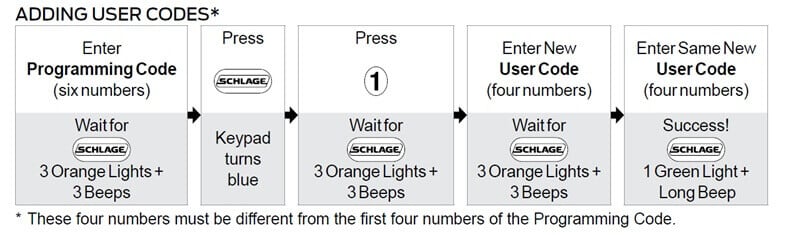
The primary method for daily entry involves using your pre-programmed numeric code on the exterior keypad. This process is designed for speed and security when the system has power.
Steps to Unlock With a Code
- Press the Select button located on the keypad surface.
- Type your unique 4- to 8-digit access code carefully.
- Listen for a distinct confirmation tone indicating the lock has disengaged.
- Turn the door knob immediately to open the door.
✅ Pro Tip: Wait for the audible tone before turning the knob. Turning it too early can prevent the latch from retracting fully.
Verify Lock Status Before Entry
Check the indicator light on the keypad before attempting to enter your code. If the light is off, the door is securely locked and ready for code entry. A blinking red light often signals a low battery condition that requires attention soon.
Use the Mechanical Key for Emergency Access
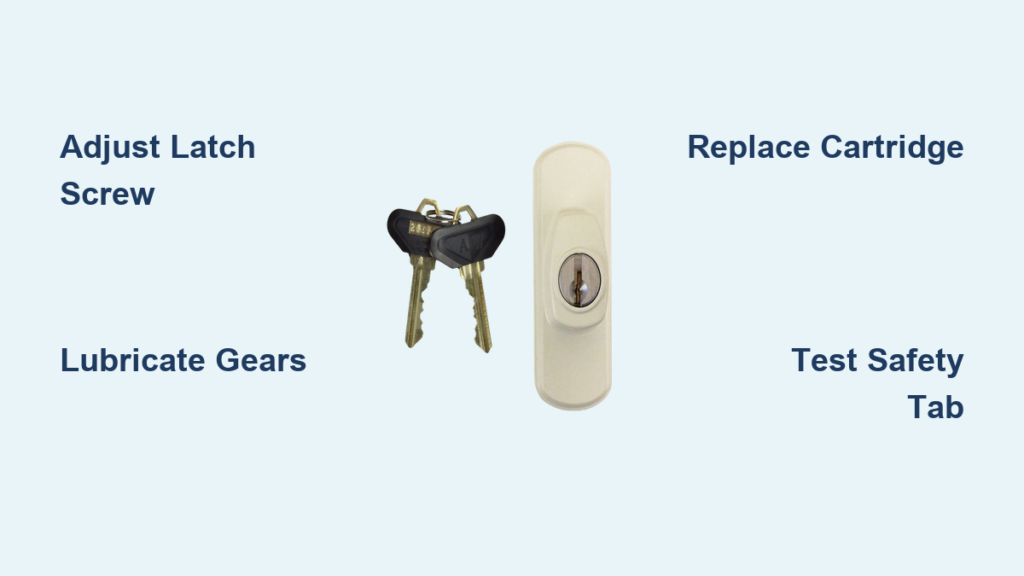
When electronic components fail or batteries die completely, the mechanical key serves as your most reliable backup method. Knowing how to operate this feature correctly prevents damage to the cylinder.
Insert and Engage the Key Properly
- Insert your Schlage emergency key directly into the keyway.
- Push the key gently inward until it seats fully against the internal mechanism.
- Feel for a distinct click that confirms the key has engaged the cam.
- Turn the key counterclockwise to unlock or clockwise to lock the door.
✅ Visual Cue: You must feel the key slide all the way in before turning. Forcing it while partially inserted can break internal pins.
Remove the Key Without Damage
- Pull the key slightly outward from the fully inserted position.
- Rotate the key back to the neutral vertical position.
- Slide the key completely out of the keyway.
❗ Common Mistake: Trying to pull the key out while it is still turned. Always return to neutral first.
Stabilize the Knob During Operation
Use your non-dominant hand to hold the door knob steady while turning the key with your other hand. This two-handed technique reduces stress on the lock body and ensures smooth operation during high-stress moments.
Resolve Keypad Response Issues
A non-responsive keypad often stems from power issues or user error rather than total system failure. Diagnosing these specific symptoms helps you choose the right solution.
Address Total Lack of Response
If pressing keys yields no light or sound, the battery is likely dead or disconnected. Most Schlage models rely on a single 9V battery that lasts about 12 months. Replace the battery immediately if the keypad remains dark after pressing buttons.
Correct Code Entry Errors
The lock will beep but not open if you enter an incorrect code or mistype a digit. Schlage locks do not auto-correct errors, so you must re-enter the entire sequence accurately. Wait five seconds between attempts to avoid triggering a temporary security lockout.
Open Lock With Dead Battery Solutions

Even with a completely dead internal battery, you can still gain entry using external power sources or mechanical means. These methods ensure you are never locked out permanently.
Apply External 9V Battery Power
Many Schlage models feature emergency power contacts located at the bottom of the keypad.
1. Hold a fresh 9V battery against these metal terminals.
2. Maintain firm contact while entering your access code.
3. The temporary power allows the motor to engage and unlock the door.
⏱️ Time Estimate: This external power source lasts only 10 to 15 seconds, so have your code ready.
Replace Internal Battery Immediately
Once inside, remove the interior cover to access the battery compartment. Swap the old battery for a new high-quality alkaline 9V unit. Test the keypad functions before reassembling the cover to ensure full restoration.
Bypass Complete Electronic Failure
Total electronic failure means the keypad will not respond even with fresh batteries or external power. In this scenario, the mechanical key is your only option for entry.
Diagnose Total System Lockout
Signs of complete electronic failure include no indicator lights, no audible tones, and no response to external power attempts. When these symptoms persist after battery replacement, the internal motor or circuit board may be faulty.
Prevent Future Electronic Lockouts
Keep at least two working mechanical keys in secure but accessible locations. Store one key in your car or with a trusted neighbor to ensure you always have a backup if the electronics fail completely.
Fix Stuck or Jammed Lock Mechanisms
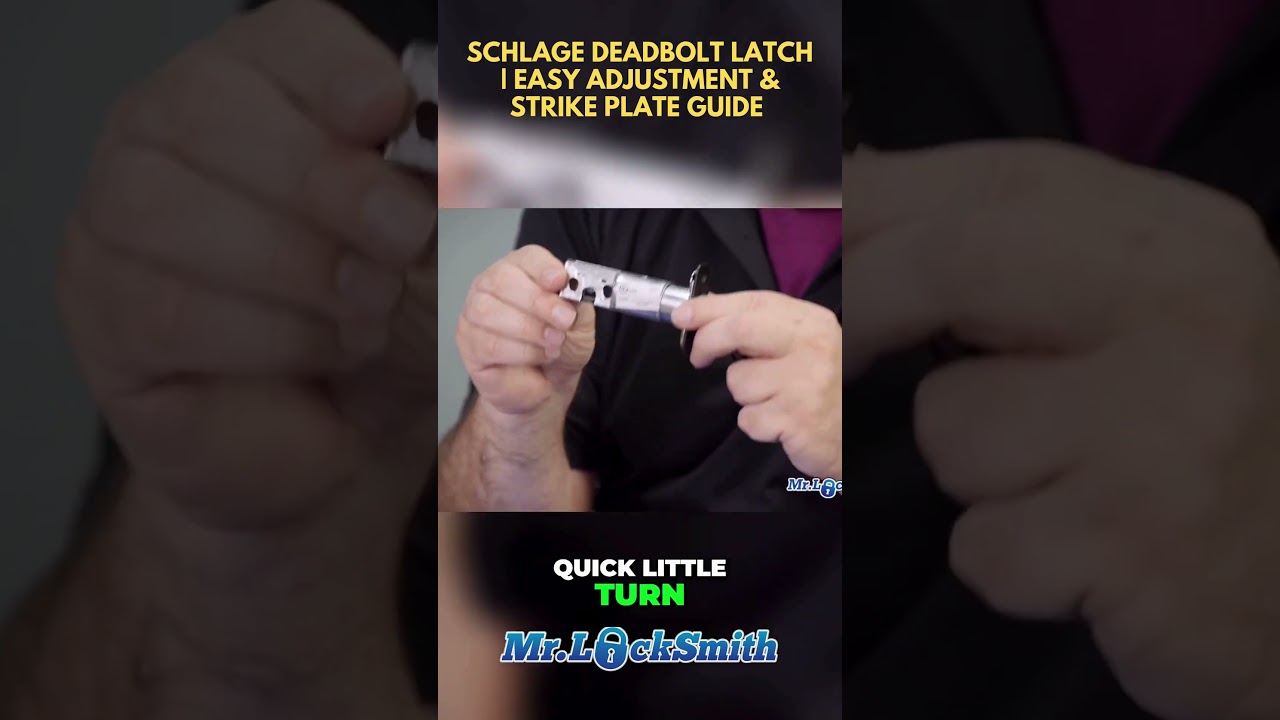
Physical obstruction or misalignment can make a lock feel frozen even when the code or key is correct. Addressing these mechanical issues restores smooth operation.
Check Door and Strike Plate Alignment
A misaligned door puts excessive pressure on the latch bolt, making it hard to turn.
• Inspect the strike plate for signs of wear or rubbing.
• Close the door slowly to listen for scraping sounds.
• Adjust the strike plate position if the latch does not align perfectly.
Lubricate Moving Parts Correctly
If the key feels stiff or the latch sticks, apply a small amount of dry graphite lubricant.
• Spray graphite powder directly into the keyway.
• Insert and remove the key several times to work it in.
• Wipe away any excess residue from the exterior.
❗ Avoid Oil: Never use WD-40 or oil-based lubricants as they attract dust and gum up the mechanism over time.
Reset or Reprogram Access Codes
Forgotten codes or security breaches may require you to reset your access credentials. This process requires the administrator code set during initial installation.
Enter Programming Mode Successfully
- Press the Select button on the keypad.
- Enter the administrator code (default is often 1-2-3-4 if unchanged).
- Press Select again to confirm entry into programming mode.
- Input your new desired user code and press Select to save.
❗ Note: You cannot reprogram user codes without the valid administrator code.
Perform a Factory Reset If Necessary
Some models allow a full factory reset if you have lost all codes. This usually involves removing the battery pack and holding a reset button for 10 seconds. Be aware that this erases all existing codes and requires full reconfiguration.
Prevent Unauthorized Entry Attempts
Securing your lock against tampering is just as important as knowing how to open it. Regular checks ensure your access methods remain exclusive to you.
Secure Your Spare Keys
Store backup keys in a locked safe or a secure lockbox rather than under doormats. Limit knowledge of spare key locations to trusted household members only.
Monitor for Tampering Signs
Regularly inspect the keypad and keyway for scratches, pry marks, or loose screws. Change your access codes immediately if you suspect someone unauthorized has viewed your entry process.
Final Steps After Gaining Entry
After successfully opening your Schlage lock, verify that all systems are functioning correctly to prevent future lockouts.
Test Both Access Methods
Lock the door from the outside and test the keypad entry first. Then, lock it again and verify the mechanical key turns smoothly. Ensuring both systems work independently provides peace of mind.
Schedule Regular Maintenance
Create a recurring reminder to replace batteries every 12 months and test your mechanical key every six months. Clean the keypad surface quarterly to remove dirt that could interfere with button sensitivity.
Frequently Asked Questions About Opening Schlage Locks
What do I do if my Schlage keypad is completely dead?
Use a fresh 9V battery held against the emergency power contacts at the bottom of the keypad. This provides enough temporary power to enter your code and unlock the door.
Can I open my Schlage lock if I forgot my code?
You can open the lock using your mechanical emergency key. If you also lost the key, you must contact a locksmith or Schlage support, as you cannot reset the code without the administrator code.
How do I know if my Schlage lock battery is low?
Look for a blinking red light on the keypad or listen for a specific low-battery warning tone when unlocking. The keypad may also respond slower than usual.
Why won’t my mechanical key turn in the lock?
Ensure the key is pushed fully inward until it clicks before turning. If it still sticks, the door may be misaligned or the keyway may need dry graphite lubrication.
Does holding a battery to the keypad damage the lock?
No, holding a 9V battery to the emergency contacts is safe and designed by the manufacturer for this exact purpose. It simply bypasses the dead internal battery temporarily.
Key Takeaways for Opening Your Schlage Lock
Knowing how to open a Schlage lock involves mastering both digital codes and mechanical key techniques. Always keep your mechanical key accessible and replace batteries annually to avoid unexpected lockouts.
Regular maintenance and understanding emergency power options ensure you never get stranded outside your home. Test your access methods monthly to guarantee reliable performance year-round.