You stand at the baggage claim watching your Samsonite suitcase arrive, only to realize you cannot recall the combination. Panic sets in quickly when you cannot access your belongings, but most locks use a universal factory default code of 0-0-0 that allows immediate entry.
This guide explains exactly how to open Samsonite luggage combination lock mechanisms using default settings, reset procedures, and post-inspection fixes. You will learn specific steps to regain access without damaging your bag or needing professional tools.
Enter the Factory Default Code 0-0-0
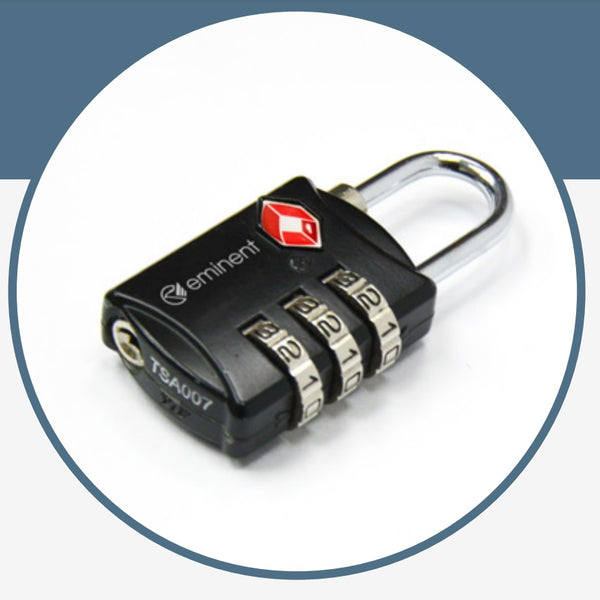
Every Samsonite suitcase with a TSA-approved lock leaves the manufacturing plant set to a universal combination. Before attempting complex troubleshooting or assuming the mechanism is broken, you must try the standard factory preset.
Why the 0-0-0 Combination Works
Samsonite utilizes a standardized preset across all TSA-approved models to ensure immediate usability for new owners. If the previous owner or you have not changed the digits, the lock responds instantly to this specific sequence. This rule applies to integrated hard-shell locks and external soft-sided latches alike.
Steps to Unlock Using Default Settings
- Rotate each dial until the number 0 aligns perfectly with the indicator line.
- Slide the release latch, press the push-button, or flip the lever depending on your model style.
- Watch for the zippers to disengage or the lid to pop open slightly.
Pro Tip: Apply gentle pressure to the release mechanism while wiggling the zipper pulls. Internal tension sometimes prevents smooth unlocking even with the correct code.
What to Do When 0-0-0 Fails
If the default code does not work, someone has likely changed the combination previously. You cannot force a custom code without risking damage to the internal gears. The only way to reset a custom code is if the lock is currently in the open position, making the default code your primary hope for initial access.
Warning: Never travel with the default 0-0-0 combination active. Thieves and baggage handlers know this code and will try it first on high-value luggage brands.
Reset the Combination Code Safely

Once you successfully open the luggage using the default code or your current combination, you should immediately set a new secure code. This process defines how you will open the lock in the future and ensures your belongings remain safe.
Locate the Recessed Reset Interface
Every Samsonite lock features a dedicated reset actuator designed to prevent accidental changes. You will find this small hole or dimple on the side or bottom of the lock housing near the number dials. Some models mark this spot with a small arrow or the letter “R” to indicate its function.
You need a thin tool to press this internal button effectively:
* Straightened paper clip
* Metal nail file
* SIM card ejector pin
Four Steps to Change Your Code
- Ensure the lock is fully unlocked using the current valid combination.
- Insert your tool into the reset hole and press the button down firmly.
- Hold the button continuously while rotating dials to your new 3-digit sequence.
- Release the reset button completely to save the new combination internally.
Many models provide a tactile or visual confirmation when the button pops back out. This signal indicates the new code is registered and ready for use.
Verify Your New Combination
Close the zippers and engage the locking mechanism to test your work. Try opening it with the old code to ensure it fails, then enter your new sequence to confirm it succeeds. If the lock sticks, repeat the process and ensure numbers align precisely with the indicator mark during setup.
Fix Locks After TSA Inspection
TSA agents use a universal master key to open Samsonite locks for baggage screening. Occasionally, they forget to re-engage the lock properly, or the internal cylinder rotates out of alignment during the inspection process.
Why Your Lock Won’t Open After Screening
Even with the correct combination entered, the lock may refuse to release if the internal mechanism remains in “key mode.” This happens when the master key rotation does not return fully to the neutral position. You will notice the dials turn freely but the release button stays stuck.
Realign the Internal Cylinder
You can restore functionality in seconds by manually rotating the internal key cylinder back to the correct position.
- Find a thin, flat tool like a nail file or the edge of a credit card.
- Insert the tool gently into the keyhole on the lock face.
- Rotate the internal cylinder slowly until you see a red dot align with the indicator mark.
- Once the red dot is visible, the combination dials regain control over the mechanism.
Enter your combination code immediately after seeing the red dot. The lock should now disengage normally. This visual cue confirms the device is back in user mode rather than agent mode.
Identify Your Specific Lock Style
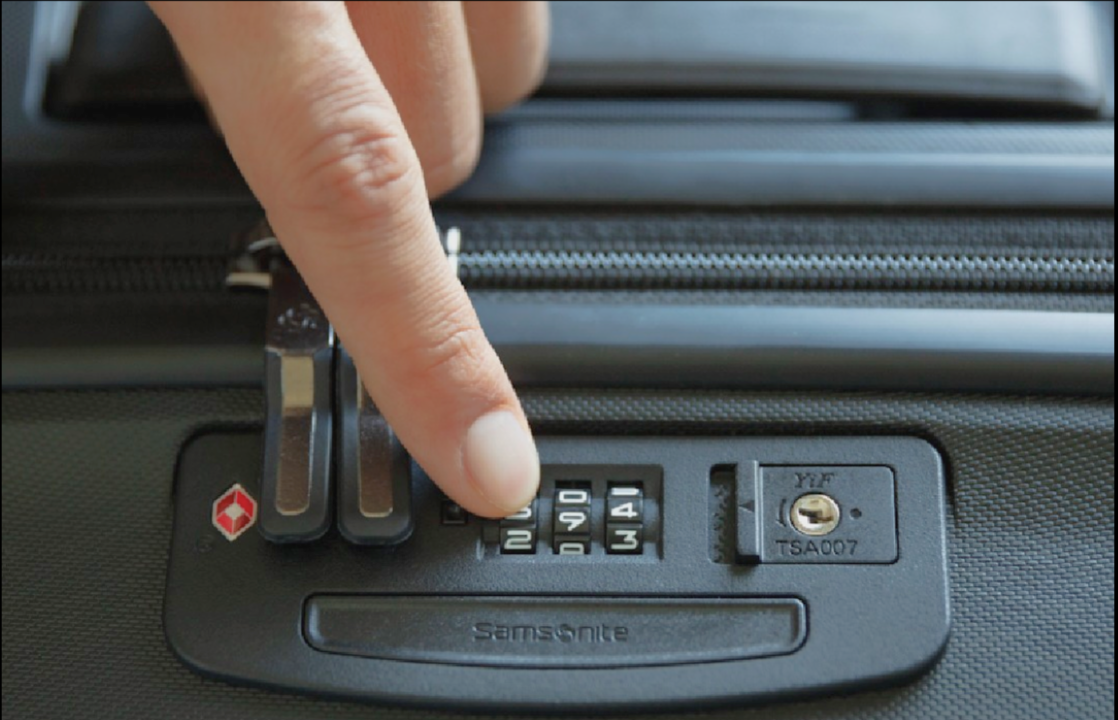
Samsonite manufactures various lock styles categorized numerically from Style 1 through Style 9. While the physical appearance differs, the core operating principles remain consistent across the entire product line.
Common Variations in Lock Design
Different suitcase models feature distinct physical interfaces for the same locking logic. Understanding your specific style helps you locate buttons and levers faster.
| Feature Type | Description |
|---|---|
| Integrated Locks | Built directly into the hard-shell frame of the suitcase |
| External Latches | Attached to zippers on soft-sided luggage bags |
| Release Action | Sliding latch, push-button, or flip-lever mechanisms |
| Reset Location | Side panel, bottom edge, or hidden under a small flap |
Regardless of the style number, all these locks share the 0-0-0 default code, a recessed reset button, and the red diamond TSA logo. Inspect your specific unit closely to find the reset hole near the dials.
Troubleshoot Forgotten Combinations

Travelers often face the difficult scenario where the bag is locked, the default code fails, and the custom combination is lost. Understanding your limitations is crucial in these high-stress situations.
No Consumer Override Code Exists
Samsonite does not provide a master override code for consumers to bypass forgotten combinations. The master key system is exclusive to TSA agents. If the lock was reset and the new code is forgotten, you cannot open it through software or secret sequences.
Available Options for Locked Bags
- Try the 0-0-0 code one more time while ensuring perfect dial alignment.
- Check for TSA misalignment by rotating the keyhole to the red dot position.
- Contact Samsonite customer support for guidance, though they cannot provide bypass codes.
- Avoid lock-picking tools as TSA locks are designed to resist tampering attempts.
- Use bolt cutters or a utility knife as a last resort to remove the lock entirely.
Prevention Tip: Record your new combination in your phone notes or a secure travel app immediately after setting it. Never rely solely on memory for critical travel codes.
Maintain Lock Security and Function
A well-maintained lock provides years of reliable service if you follow proper care protocols. Preventing issues before they occur saves time and stress at the airport.
Test Before Every Trip
Unlock and relock your bag before leaving home to verify smooth operation. Check that the dials rotate without sticking and the release mechanism engages firmly. Clean the area around the dials with a dry cloth if you notice any debris or fabric obstruction.
Avoid These Common Mistakes
- Using predictable codes like 1-2-3, 1-1-1, or birth years.
- Leaving the factory default 0-0-0 active during travel.
- Failing to realign the red dot after TSA inspections.
- Ignoring the red TSA logo visibility on the lock face.
The red diamond logo must remain visible for agents to identify the lock as TSA-approved. If this symbol is scratched off or covered, agents may cut the lock instead of opening it with their master key.
Secure Your Luggage the Right Way
Now that you understand how to open, reset, and maintain your lock, apply these practices to protect your belongings effectively. Proper usage ensures your luggage remains secure while allowing necessary security screenings.
Best Practices Summary
- Always change the 0-0-0 default code immediately after purchase.
- Select a non-obvious 3-digit code that avoids simple sequences.
- Test the lock mechanism before arriving at the airport.
- Realign the red dot manually if TSA opens your bag.
- Store your combination securely in a digital note or travel journal.
Samsonite combination locks are reliable devices when used correctly. The key to success lies in understanding the default settings, the reset process, and the TSA functionality. Whether you are opening a new suitcase, recovering from an inspection, or setting a fresh code, these steps ensure you regain access quickly and securely.
Frequently Asked Questions About Samsonite Locks
What is the default code for all Samsonite luggage locks?
The universal factory default code for every Samsonite TSA-approved lock is 0-0-0. This preset allows immediate access upon purchase before the owner sets a custom combination.
Can I open my lock if I forget the custom combination?
No, there is no consumer master code for forgotten custom combinations. You must try the default 0-0-0, check for TSA misalignment, or cut the lock if the code remains unknown.
How do I reset my Samsonite lock to a new code?
Open the lock with the current code, press the recessed reset button with a thin tool, change the dials to your new number, and release the button to save.
Why won’t my lock open after a TSA inspection?
The internal key cylinder may be stuck in the key position. Insert a thin tool into the keyhole and rotate until the red dot aligns with the indicator mark to restore combination function.
Is it safe to use 1-2-3 or 0-0-0 as my travel code?
No, these are the first codes thieves attempt. Always change the factory default to a unique, non-sequential number before traveling to ensure your belongings remain secure.
Key Takeaways for Opening Samsonite Luggage Combination Locks
Mastering your luggage security starts with knowing that every Samsonite lock begins with the 0-0-0 default code. Changing this immediately and understanding the reset procedure protects your items while ensuring you can always regain access.
Remember to check the red dot alignment if TSA inspects your bag, as this simple step resolves most post-screening lock issues. Keep your new code recorded safely and test your lock before every trip to avoid travel disruptions.