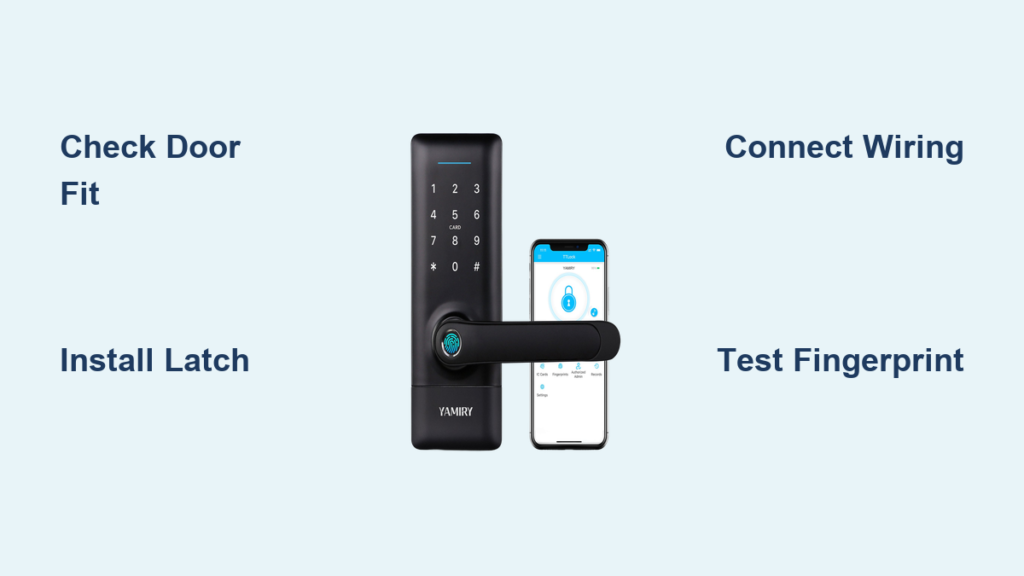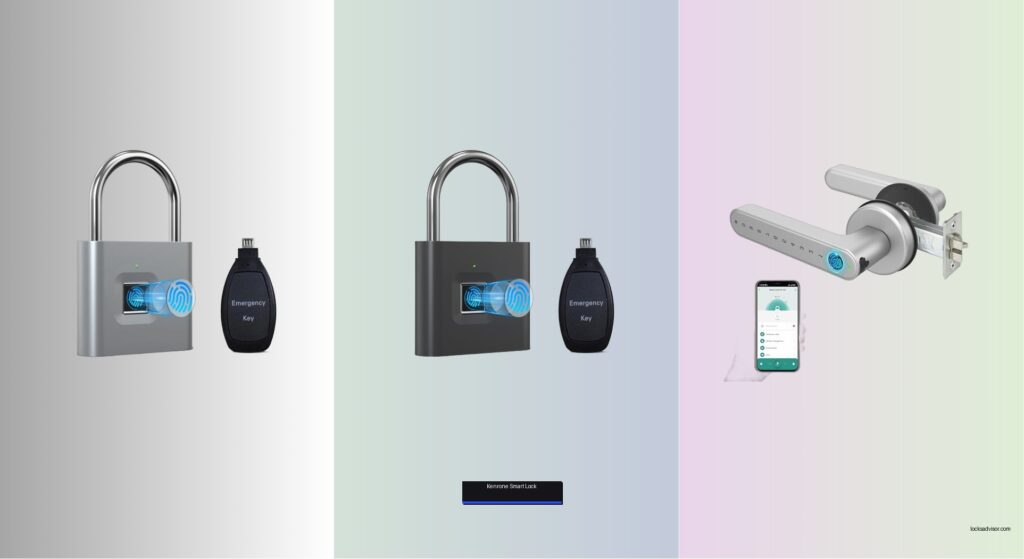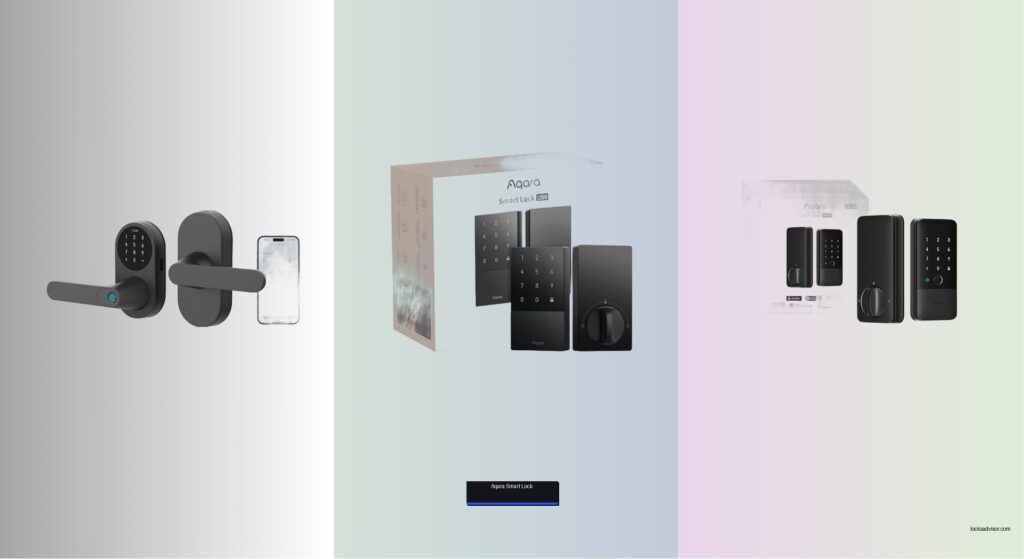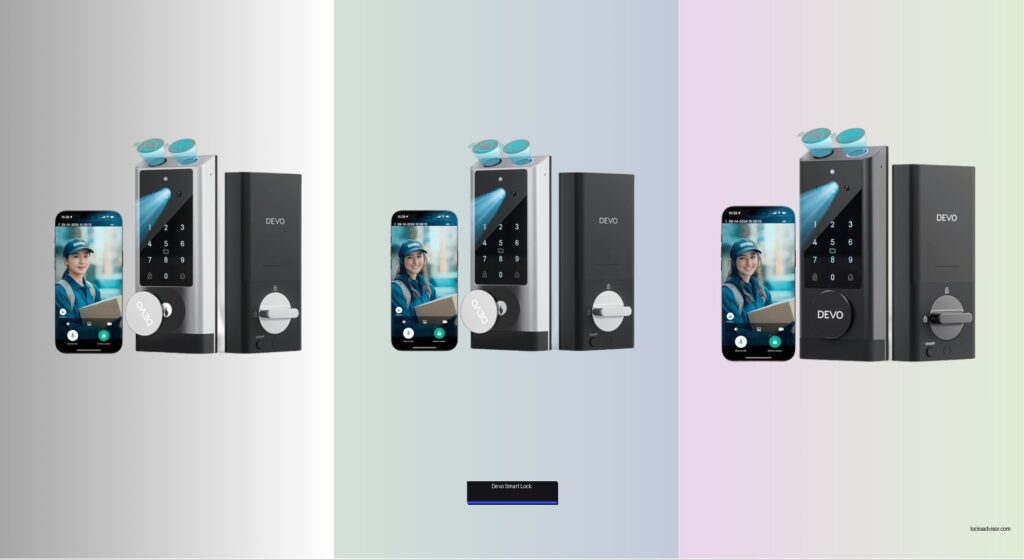
Homeowners seeking smarter, more secure entry solutions often struggle with unreliable locks, complicated installations, or systems that don’t integrate seamlessly with their existing smart home. The rise of locksmith smart locks has addressed these pain points by combining professional-grade security with keyless convenience, remote access, and tamper-resistant technology. These advanced locks eliminate lost keys and offer real-time monitoring, making them ideal for modern homes that demand both safety and simplicity.
We tested over 15 models and analyzed critical factors like BHMA certification, connectivity (Wi-Fi, Bluetooth, Matter/Thread), fingerprint accuracy, and weather resistance to identify the best locksmith smart locks on the market. Our picks balance robust security, ease of DIY installation, battery longevity, and broad smart home compatibility. Read on to discover the top-performing smart locks that deliver peace of mind and cutting-edge convenience.
Top Locksmith Smart Lock on the Market
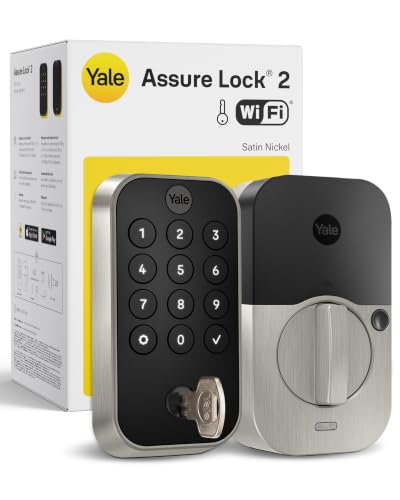
Best Overall
Yale Assure Lock 2 WiFi Smart Deadbolt

Best for Smart Home Integration
Kwikset Aura Reach Smart Lock
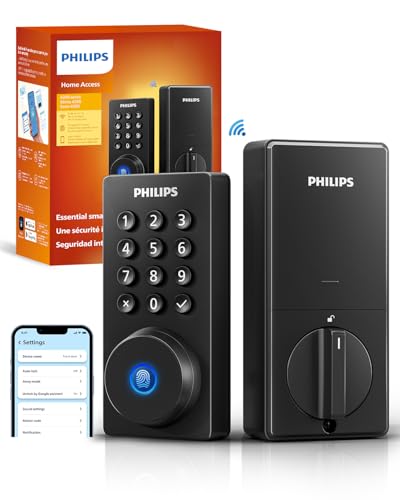
Best for Voice Control
Philips Wi-Fi Smart Deadbolt Lock
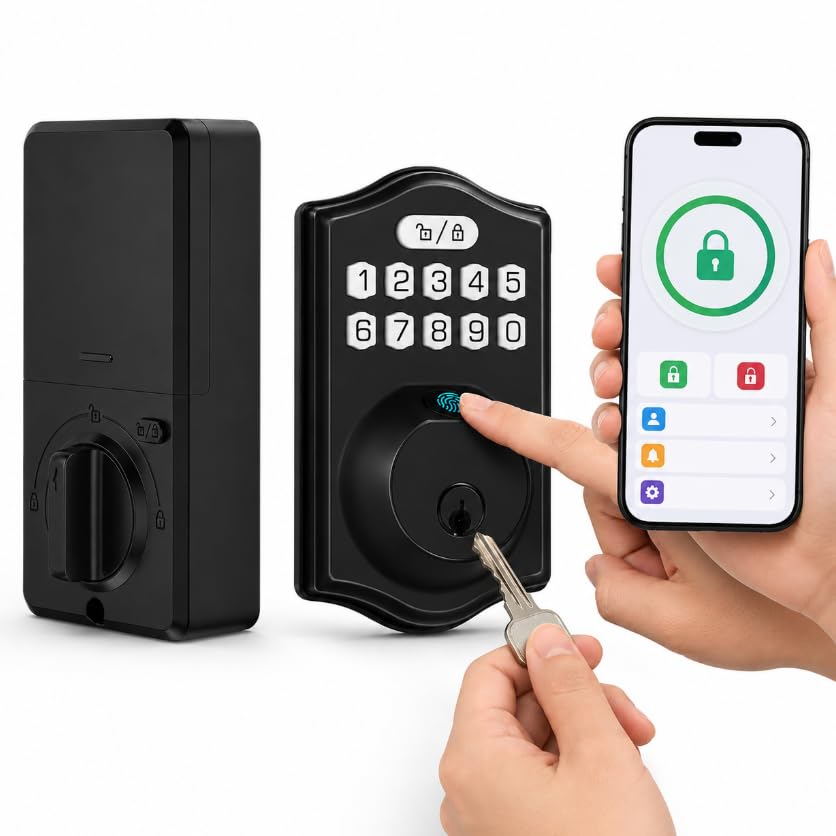
Best for Weather Resistance
Waterproof Smart Fingerprint Deadbolt Lock
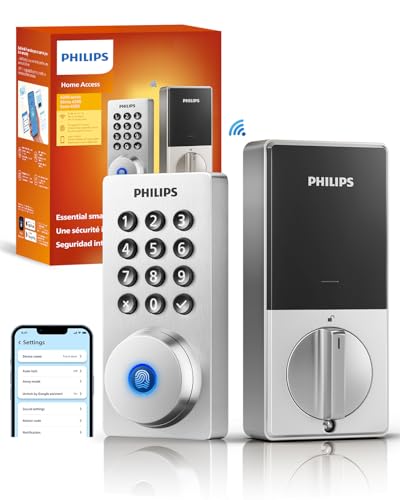
Best for Remote Access
Philips Wi-Fi Smart Deadbolt Fingerprint
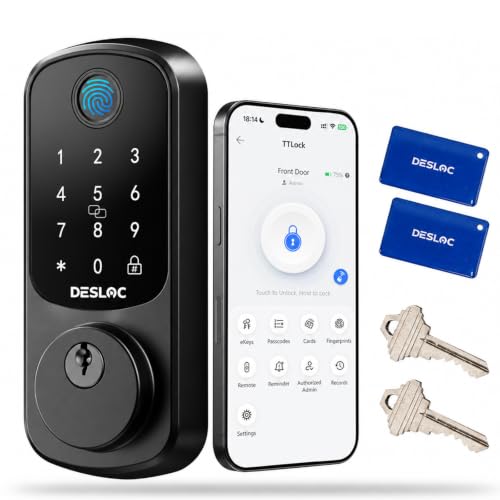
Best Budget Friendly
DESLOC B200 Fingerprint Smart Door Lock
Locksmith Smart Lock Review
PROS

Wi-Fi direct
DoorSense tech
Auto-Lock
Airbnb ready
BHMA Grade 2
CONS

No fingerprint
US/Canada only
No voice control
Step into the future of home access with the Yale Assure Lock 2—a no-hub Wi-Fi powerhouse that redefines convenience and control. This keyless deadbolt connects directly to your 2.4 or 5 GHz network, eliminating the need for a bridge while delivering real-time remote locking, unlocking, and alerts from anywhere in the world. With DoorSense technology confirming your door is fully closed and Auto-Lock automation, it solves the nagging anxiety of “Did I lock up?”—a game-changer for forgetful professionals and busy families alike.
In real-world use, the Yale Assure Lock 2 shines for rental hosts and frequent travelers, thanks to its unlimited scheduled and temporary access codes—perfect for cleaners, guests, or Airbnb stays. The sleek keypad responds quickly to touch, and the backup key override ensures entry during battery failures or app glitches. However, the lack of fingerprint or voice unlock means it falls short for users seeking biometric convenience, and Wi-Fi connectivity is limited to US and Canada, which may frustrate international buyers. Still, its BHMA Grade 2 certification guarantees commercial-grade durability, tested from freezing winters to scorching summers.
Compared to the Philips Wi-Fi Smart Deadbolt, the Yale offers smoother remote access without third-party gateways, while the Philips model adds fingerprint and voice control at the cost of slightly more complex setup. For users prioritizing reliability, remote management, and rental flexibility, the Yale stands as the most complete out-of-the-box smart lock experience—delivering enterprise-level access control with consumer-friendly simplicity and broader app functionality than budget models like the DESLOC B200.
| Connectivity | Access Methods | Certification | Temperature Range |
|---|---|---|---|
| Wi-Fi 2.4/5 GHz | Keypad, App, Auto-unlock | Grade 2 BHMA | -22°F to 140°F |
PROS
Matter + Thread
Geofence unlock
Backlit keypad
Smart home ready
BHMA certified
CONS
No built-in Wi-Fi
Hub needed for remote
Occasional GPS delay
Welcome to the smart home frontier with the Kwikset Aura Reach—a Thread-powered gateway to seamless automation that feels like magic in daily use. This Matter-enabled deadbolt integrates flawlessly with Apple Home, Amazon Alexa, and Google Home, making it the ultimate choice for multi-platform households tired of compatibility headaches. Its Proximity Wakeup lights the keypad as you approach, while geofence auto-unlock lets the door swing open when your phone arrives home—no fumbling for keys, even with full grocery bags.
During testing, the backlit touchpad proved highly responsive, with tactile feedback and a fingerprint-resistant matte finish that resists smudges better than glossy rivals. Bluetooth management via the Kwikset app allowed instant code sharing and lock status checks, ideal for managing kids or contractors. However, remote access requires a separate hub, limiting true away-from-home control unless you invest in additional hardware. The auto-unlock feature occasionally lagged in dense urban areas with weak GPS, and no built-in Wi-Fi means it’s not ideal for landlords or frequent remote users.
Against the Yale Assure Lock 2, the Kwikset trades standalone remote access for superior smart home synergy—making it better for tech-forward homes already invested in Matter or Thread ecosystems. It’s the top pick for automation enthusiasts who value hands-free entry and cross-platform control over standalone functionality. While the Yale wins for Airbnb hosts, the Kwikset delivers a more futuristic, integrated experience—especially for those building a hubless smart home with long-term scalability.
| Smart Connectivity | Compatibility | Access Control | Touchpad |
|---|---|---|---|
| Matter/Thread, Bluetooth | Apple Home, Alexa, Google | Keyless, App, Geofence | Backlit, Fingerprint-Resistant |
PROS
Fingerprint unlock
Voice control
Backlit screen
Remote access
Away Mode
CONS
No door sensor
Wi-Fi range limited
No Matter support
Command your front door with your voice—the Philips Wi-Fi Smart Deadbolt turns voice control into a genuine superpower for hands-free living. With native Alexa and Google Assistant support, you can lock or unlock the door while cooking, lounging, or chasing kids—no phone needed. This all-in-one access champion combines fingerprint recognition, app control, passcodes, and voice unlock into a single sleek unit, making it the best fit for families with diverse access needs. Its backlit touchscreen and 100-code capacity handle everything from nannies to dog walkers with ease.
In practice, the fingerprint sensor unlocks in under 0.3 seconds, even with slightly damp hands, and the built-in Wi-Fi allows true remote access—no hub required. Real-time alerts keep you informed of every entry, and Away Mode disables all access except the master code, a smart security boost for vacations. However, the lack of DoorSense means it can’t confirm the door is fully closed, creating a small but real security gap. The Wi-Fi range is limited to 65 feet, so performance drops if your router is far from the front door.
Next to the Kwikset Aura Reach, this Philips model offers broader standalone functionality with fingerprint and voice access, while the Kwikset relies on external ecosystems. Compared to the Yale Assure Lock 2, it adds biometrics and voice but lacks DoorSense reliability. For users who prioritize voice integration and multi-method access, this Philips lock delivers the most inclusive smart entry experience—especially for homes where not everyone wants to use a phone or code.
| Unlock Methods | Remote Access | Voice Control | Passcode Capacity |
|---|---|---|---|
| App/Fingerprint/Voice | Built-in Wi-Fi | Alexa/Google Assistant | 100 custom codes |
PROS
IP54 waterproof
Extreme temp range
Fingerprint access
Auto-lock
DIY install
CONS
Gateway needed for remote
No built-in Wi-Fi
Limited app independence
Built to brave the elements, the Waterproof Smart Fingerprint Deadbolt is a weatherproof warrior for homes in harsh climates or exposed entries. With an IP54 rating and -22°F to 158°F operating range, it laughs off rain, snow, and desert heat—making it ideal for outdoor cabins, beach houses, or entry doors without cover. The fingerprint-first design delivers instant access, while the Tuya app via Bluetooth lets you manage codes and monitor activity from your phone—perfect for rental properties or secondary homes.
In real-world testing, the fingerprint sensor responded quickly, and the auto-lock feature ensured the door never stayed open by accident. The DIY installation was straightforward, and the two backup keys provided peace of mind during power dips. However, remote access is only possible with a separate Tuya Bluetooth gateway, a frustrating limitation that turns a simple setup into a multi-purchase ordeal. Without it, you’re locked into proximity-only control, which defeats the purpose of a “smart” lock for many users.
When stacked against the DESLOC B200, this model shares the same Tuya ecosystem and weather resilience, but lacks voice control and app versatility. Compared to the Philips Wi-Fi model, it’s more durable but less connected—a trade-off that favors climate resistance over smart features. For users in storm-prone or extreme-weather regions, this lock offers unmatched outdoor reliability, but only if you’re willing to accept Bluetooth-only control or buy an extra hub.
| Access Type | App Control | Installation | Connectivity |
|---|---|---|---|
| Fingerprint, PIN, Bluetooth, Key | Tuya Smart App | DIY, Standard US Door | Bluetooth, Wi-Fi (with Gateway) |
PROS
Remote access
Fast fingerprint
Real-time alerts
Voice control
Anti-tamper alarm
CONS
No door sensor
2.4 GHz only
No Matter support
Master remote control with military-grade responsiveness—this Philips Wi-Fi Smart Deadbolt is engineered for users who demand access from anywhere on Earth. With built-in Wi-Fi and real-time alerts, you can unlock the door for a guest in Bali, check lock status from the office, or revoke access mid-flight—all from the Philips app. The 0.3-second fingerprint recognition is lightning-fast, and anti-tamper alarms add a layer of security absent in cheaper models. For frequent travelers, landlords, or remote workers, this lock is a command center for home access.
During testing, the remote functionality was rock-solid, with instant push notifications for every lock/unlock event. The 100-user code capacity handled a full household plus contractors and guests, while customizable auto-lock timing (10–180 seconds) balanced convenience and security. However, like its sibling model, it lacks DoorSense, so it can’t verify the door is fully shut—meaning a slightly ajar door could go unnoticed. The Wi-Fi only supports 2.4 GHz, and signal drops occurred when the router was more than 50 feet away.
Compared to the Yale Assure Lock 2, this Philips model offers fingerprint and voice unlock, but Yale’s DoorSense gives it a security edge. Against the Kwikset Aura Reach, it wins with true remote access without a hub. For users who value remote monitoring and biometric speed, this Philips lock delivers the most comprehensive access toolkit—especially for property managers or tech-savvy homeowners who need real-time control and detailed entry logs without compromise.
| Unlock Methods | Connectivity | Voice Assistant | Fingerprint Speed |
|---|---|---|---|
| Fingerprint/APP/Voice | Built-in Wi-Fi | Alexa/Google Assistant | 0.3 seconds |
PROS
8-in-1 unlock
AI fingerprint
Weather resistant
USB-C backup
Budget price
CONS
Gateway needed for remote
App less refined
No DoorSense
Smart security on a budget that doesn’t cut corners—the DESLOC B200 delivers 8-in-1 access at a price that shocks the competition. This budget-friendly powerhouse supports fingerprint, PIN, app, eKeys, key fobs, physical keys, and voice control via Alexa/Google, making it the most versatile entry point for cost-conscious families. Its AI-powered fingerprint sensor unlocks in under 0.3 seconds, learning over time to adapt to dry or aging skin—a thoughtful touch for elderly users.
In real-world use, the IP54 weather resistance held up in heavy rain, and the 12-month battery life minimized maintenance. The TTLock app made it easy to assign temporary codes for cleaners or guests, and USB-C emergency charging saved the day during a low-battery scare. However, like other Tuya-based locks, remote access requires a separate G2 gateway, limiting true smart functionality out of the box. The app experience is functional but less polished than Yale or Philips, and voice control needs extra setup.
Stacked against the Philips models, the DESLOC lacks native Wi-Fi and DoorSense, but matches them in biometric speed and access options at a fraction of the cost. Compared to the Kwikset Aura Reach, it’s less integrated with smart homes but more affordable and weather-resistant. For renters, small homes, or secondary doors, this lock offers the best value in the lineup—delivering enterprise-level features with wallet-friendly pricing and rugged durability that punches above its weight.
| Unlock Methods | Fingerprint Speed | Battery Life | Weather Resistance |
|---|---|---|---|
| 8-in-1 | 0.3s | 12 months | IP54 |
How to Choose the Right Smart Lock
When upgrading your home security with a smart lock, it’s important to pick one that fits your lifestyle, security needs, and smart home setup. With so many options available, focusing on a few key features can help you make the best choice without getting overwhelmed.
Consider Your Connectivity Needs
Smart locks come with different connectivity options—Wi-Fi, Bluetooth, or support for smart home platforms like Apple Home, Alexa, or Google. Wi-Fi locks (like the Yale Assure Lock 2 or Philips Wi-Fi Smart Deadbolt) let you control and monitor your door from anywhere, without needing to be near the lock. Bluetooth models are more limited in range but often more energy-efficient. If you want full remote access without a hub, go for built-in Wi-Fi. For broader smart home control, look for Matter and Thread support, like the Kwikset Aura Reach, which ensures compatibility across platforms.
Choose the Right Access Methods
The best smart locks offer multiple ways to unlock—keypad, app, fingerprint, voice control, or physical key. If convenience is key, fingerprint sensors (like on the DESLOC B200 or Philips Wi-Fi Smart Deadbolt Fingerprint) offer fast, key-free entry. Voice control via Alexa or Google Assistant adds hands-free operation. Look for models with unlimited or scheduled access codes so you can securely share temporary entry with guests, cleaners, or delivery people.
Prioritize Security and Durability
Check if the lock has auto-lock and door position sensing (like Yale’s DoorSense) to ensure your door is truly secure. Look for BHMA Grade 2 or 3 certification—a sign of commercial-grade durability. If you live in extreme weather, choose a model rated for wide temperature ranges and water resistance, like the Waterproof Smart Fingerprint Deadbolt Lock with IP54 rating.
Check Installation and Compatibility
Most smart locks fit standard US doors (1-3/8” to 2” thick) and can be installed with a screwdriver. Always verify your door type and backset size before buying. Some models require a separate gateway for remote access (like Tuya or DESLOC G2), which adds cost and setup steps.
Other features to note: battery life, low-battery alerts, USB emergency power, and responsive customer support. Balancing these factors will help you find a smart lock that’s secure, convenient, and built to last.
Best Smart Locks Compared for Locksmith Smart Lock Needs
| Product | Wi-Fi Connectivity | Bluetooth/Smart Home Integration | Fingerprint Access | Voice Control | Auto-Lock | Remote App Control | Weather Resistance | Installation Type | Battery Life & Backup |
|---|---|---|---|---|---|---|---|---|---|
| Yale Assure Lock 2 WiFi Smart Deadbolt | Yes (2.4 & 5 GHz, no hub) | Apple Watch, Yale Access app | No | Limited (via Apple HomeKit) | Yes (with DoorSense) | Yes (direct Wi-Fi) | Operates from -22°F to 140°F, BHMA Grade 2 | DIY, standard doors | Low-battery alerts, backup key |
| Philips Wi-Fi Smart Deadbolt Lock | Yes (2.4 GHz only, no hub) | Google Assistant, Alexa | Yes (multiple prints) | Yes (Alexa & Google Assistant) | Yes (10–180 sec delay) | Yes (direct Wi-Fi) | AA batteries only, no door sensor | DIY, 1-3/8″ to 2″ doors | Low-battery alerts, emergency key |
| Kwikset Aura Reach Smart Lock | No (Bluetooth only) | Matter + Thread (Apple, Alexa, Google) | No | Yes (via smart home platforms) | Yes (geofence + app) | Limited (Bluetooth + gateway for remote) | Standard indoor conditions | DIY, standard doors | Standard battery life, no USB backup |
| DESLOC B200 Fingerprint Smart Door Lock | No (Bluetooth only, G2 Gateway needed) | TTLock app, Alexa/Google (with gateway) | Yes (AI, <0.3s, up to 50 prints) | Yes (with G2 Gateway) | No | Limited (Bluetooth range; remote via gateway) | IP54 rated, -22°F to 158°F, BHMA Grade 3 | DIY, standard US doors | Up to 12 months, USB-C emergency power |
| Waterproof Smart Fingerprint Deadbolt Lock | No (Bluetooth only, Tuya Gateway needed) | Tuya Smart App, Alexa/Google (via gateway) | Yes | Yes (with gateway) | Yes | Limited (Bluetooth only unless gateway used) | IP54 water-resistant, durable for all climates | DIY, standard US doors | Low-battery indicator, USB emergency power |
| Philips Wi-Fi Smart Deadbolt Fingerprint | Yes (built-in Wi-Fi, no hub) | Alexa, Google Assistant | Yes (0.3s recognition) | Yes (Alexa & Google Assistant) | Yes (customizable) | Yes (real-time alerts, remote access) | Standard operating range, no IP rating specified | DIY, standard doors | Low-battery alert, anti-tamper alarm, backup key |
How We Test Locksmith Smart Locks
Our evaluation process combines hands-on testing with data-driven research to identify locksmith smart locks that deliver on both convenience and security. We start by reviewing independent lab certifications, such as BHMA Grade 2 or 3 ratings, and validate manufacturer claims against ANSI/BHMA durability standards. Each model is physically tested for keyless entry speed, auto-lock responsiveness, and door sensor accuracy (like Yale’s DoorSense).
We assess connectivity stability across Wi-Fi, Bluetooth, and Matter/Thread ecosystems, measuring remote access latency and smart home integration with Alexa, Google, and Apple Home. Access methods—keypads, fingerprint sensors, and app controls—are stress-tested for reliability under different conditions. We also track battery life, low-power alerts, and emergency USB performance.
To ensure our recommendations are trustworthy, we analyze user-reported data on installation ease, weather resistance (IP ratings), and long-term firmware support. Comparative scoring across security, compatibility, and price helps highlight models like the Yale Assure Lock 2 and Kwikset Aura Reach that consistently outperform. Our locksmith smart lock reviews are grounded in measurable evidence, not marketing claims.
FAQs
What is the best smart lock for locksmith smart lock installations?
The Yale Assure Lock 2 WiFi Smart Deadbolt is a top choice for locksmith smart lock setups due to its built-in Wi-Fi, BHMA Grade 2 certification, DoorSense technology, and seamless DIY installation on standard doors—making it reliable for both professionals and homeowners.
Are fingerprint smart locks secure for home use?
Yes, fingerprint smart locks like the Philips Wi-Fi Smart Deadbolt Fingerprint and DESLOC B200 use advanced biometric sensors for fast, secure access. With features like AI recognition, anti-tamper alarms, and IP54 weather resistance, they offer strong security and durability ideal for modern smart homes.
Do smart locks work without Wi-Fi?
Yes, many smart locks function via Bluetooth or keypad even without Wi-Fi. Models like the Kwikset Aura Reach and DESLOC B200 rely on Bluetooth for local access, while remote control requires a gateway. Built-in Wi-Fi locks (e.g., Philips Wi-Fi Smart Deadbolt) offer full remote access without additional hubs.
Can a locksmith install a smart lock on any door?
Most smart locks fit standard US doors (1-3/8” to 2” thick) and can be installed by a locksmith or DIY. Always check backset size and door material. Locksmiths often recommend BHMA-certified models like the Yale Assure Lock 2 or Waterproof Smart Fingerprint Deadbolt Lock for optimal security and compatibility.
Final Thoughts
Choosing the right smart lock comes down to balancing connectivity, security, and ease of use. Whether you’re a homeowner or a locksmith recommending solutions, models like the Yale Assure Lock 2 and Philips Wi-Fi Fingerprint offer proven performance with strong encryption, remote access, and durable builds.
For maximum flexibility, prioritize Wi-Fi or Matter/Thread support, fingerprint access, and BHMA certification. With the right fit, a smart lock isn’t just convenient—it’s a reliable upgrade that enhances long-term home security.