You walk up to your apartment or office door, tap your phone, step inside, and suddenly wonder if the door actually locked behind you. With Salto electronic systems, the answer is usually yes, but only if you understand how the automation works to secure your space instantly.
Unlike traditional deadbolts requiring manual turns, Salto doors rely on smart technology to engage automatically upon closure. This guide explains exactly how to lock a Salto door in every scenario so you never have to second-guess your security again.
Automatic Locking Sequence After Entry
Salto doors are engineered to lock automatically the moment they close after you enter, removing the need to manually throw a deadbolt. This automatic engagement is the primary method for securing your unit during daily use.
Present Your Credential Correctly
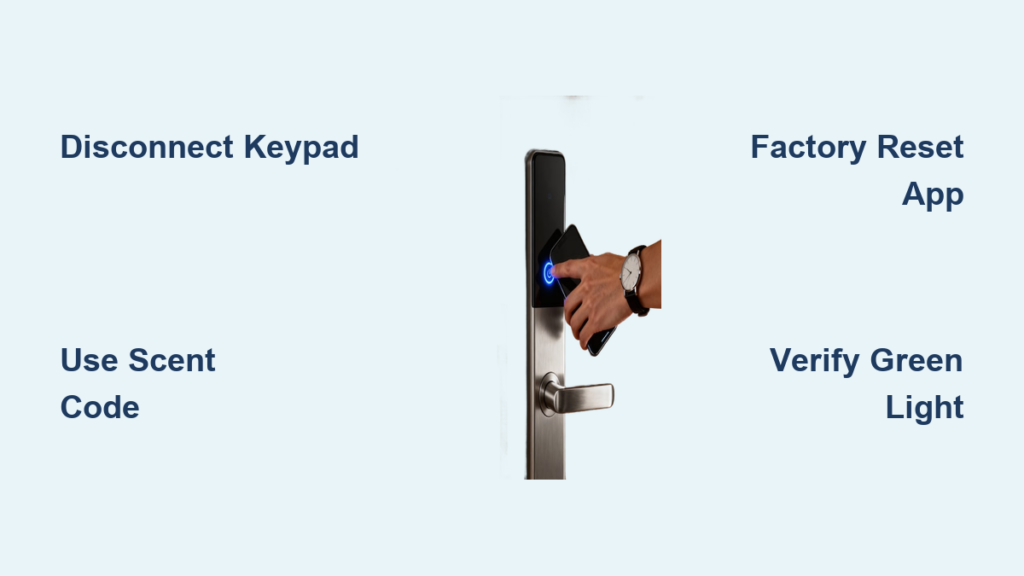
To start the locking sequence, you must first authenticate using a valid credential like a smartphone, fob, or card.
- Hold your registered device close to the exterior reader sensor.
- Wait for the LED indicator to flash green, confirming successful authentication.
- Pause for exactly one second before turning the handle to ensure the signal registers.
Pro Tip: Turning the handle too quickly after the green flash can interrupt the unlock signal. Wait a full second to guarantee access.
Allow the Door to Close Naturally
Once you step inside, simply release the door and let it swing shut on its own without forcing it.
As the latch hits the strike plate, the internal mechanism re-engages immediately to secure the exterior handle. You will see the green light extinguish, indicating the system is active and the door is locked.
Manual Locking Options From the Interior
You typically do not need to manually lock a Salto door from the inside because it is already secure once closed. However, specific interior actions can add layers of privacy or physical security depending on your hardware.
Operating the Interior Handle
Most interior handles function differently than standard locks and often control only the exit mechanism.
- Turning the handle clockwise may engage a privacy lock for the interior side.
- This action does not affect the electronic exterior lock status.
- In Suite Entry models, pulling the interior lever often unlocks the outside handle temporarily for exit.
Warning: Manually locking the interior thumbturn can block emergency egress or prevent electronic unlocking unless you reverse the action first.
Engaging the Mechanical Deadbolt
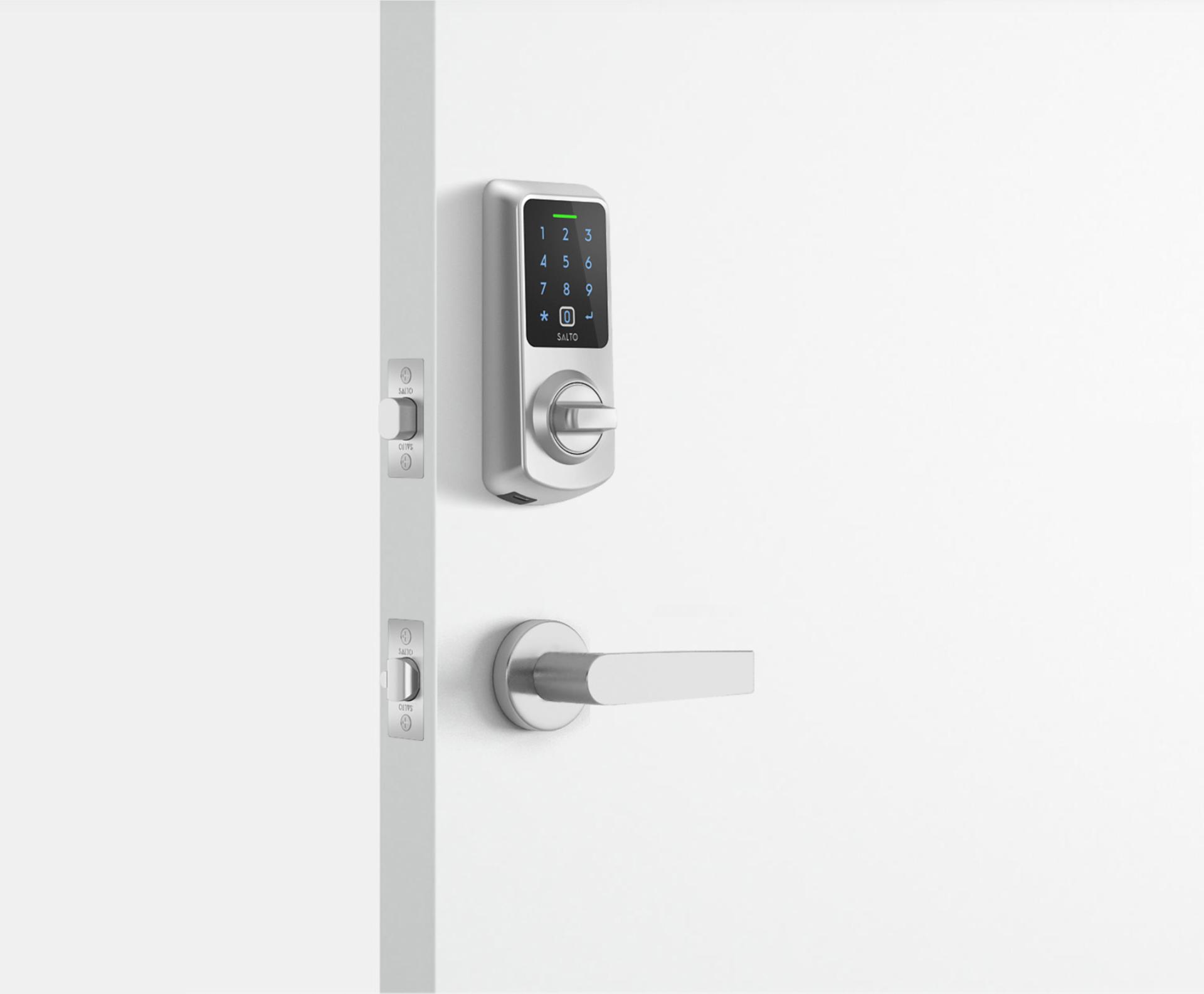
Some installations include a manual deadbolt that provides a physical barrier independent of the electronic system.
- Locate the thumbturn on the interior side of the door.
- Rotate it to extend the deadbolt into the door frame.
- Remember that the electronic system cannot retract this bolt remotely.
You must manually retract this deadbolt before leaving, or your valid digital credential will not open the door. Use this feature for overnight security or extended absences.
Exit Procedures That Maintain Security
Leaving your unit requires active steps to disengage the exterior lock, preventing unauthorized tailgating or accidental entry by others.
Using the Salto Mobile App
The most reliable method for exiting involves using the Salto Mobile app or Apple Wallet on your smartphone.
- Open your digital key in the app or wallet.
- Tap your phone against the interior or exterior reader to trigger the unlock.
- Wait for the green flash or audible click confirming the latch is free.
- Turn the handle, exit the room, and let the door close fully.
Best Practice: Always use the app even if the handle feels loose. This ensures your exit is logged in the audit trail and maintains strict access control.
Automatic Unlock via Handle Pull
Certain Suite Entry systems are programmed to unlock the exterior handle when you pull down the interior lever.
This behavior depends entirely on administrator settings within the building management software. In high-security environments, this feature is often disabled, requiring you to use the mobile app for every exit.
Troubleshooting Common Locking Failures

Even with advanced automation, physical issues or user errors can prevent your Salto door from locking properly.
Door Fails to Close Fully
If the door sticks, swings open, or stops before latching, the electronic lock cannot engage.
- Check for obstructions in the door frame or threshold.
- Inspect the strike plate for misalignment.
- Ensure hinges are tight and the door hangs straight.
Adjust the door alignment or clear any debris to ensure the latch catches the strike plate securely.
Missing Green Light Indicator
If the lock does not flash green when you present your credential, the door will not unlock or re-lock correctly.
- Dead Battery: Your fob battery may be depleted, or your phone NFC might be disabled.
- Low Lock Power: A dim or absent light on the lock indicates low battery power in the device itself.
- Access Revoked: Your credential permissions may have expired or been removed by admin.
Replace your fob battery or check your phone settings. Contact your building manager if access remains denied.
Handle Turns But Door Stays Shut
If the handle turns freely but the door does not open, the system may be in a timeout state due to inactivity.
Re-present your credential to wake the system and wait for the green flash. Wait one second before turning the handle again to allow the motor to engage the latch.
Security Modes and Administrator Controls
Facility managers control deeper behaviors that dictate how and when your specific Salto door locks using centralized software.
Auto-Lock Versus Scheduled Locking
The default mode is auto-lock, which secures the door immediately upon closure.
Some systems use scheduled locking, delaying the engagement until specific hours like nights or weekends. These settings are managed through Salto SVN or BLUEnet Wireless platforms and cannot be changed by end users.
Remote Management Capabilities
Administrators can lock or unlock doors remotely and revoke access instantly if a credential is lost.
They can also set time-based permissions, such as allowing access only between 9 AM and 6 PM. This eliminates the need for physical rekeying when tenants move out or staff changes occur.
Model-Specific Locking Behaviors
Not all Salto locks operate identically, so identifying your specific model helps you understand its unique locking nuances.
Salto Suite Entry Lock
Designed specifically for residential apartments, this model locks automatically after entry.
It requires the Salto app or a specific handle pull to unlock the exterior for exit. This model supports Apple Wallet and JustIN Mobile technology for seamless keyless living.
XS4 Series and Ælement Models
Common in offices and hotels, these ANSI-compliant locks lock firmly on closure.
They often integrate with keycards or PIN pads and feature smooth, silent handle operations. These models are favored in high-traffic commercial environments requiring robust audit trails.
Best Practices for Reliable Door Security
Following simple operational habits ensures your Salto door locks every single time without failure.
Wait for Visual Confirmation
Never rush the process. Always wait for the green flash and pause for one second before turning the handle. Skipping this step causes the majority of failed entry attempts.
Ensure Complete Door Closure
Let the door swing shut naturally without holding it open or propping it ajar. The lock senses closure through latch engagement, so a partially open door remains unlocked.
Test Credentials Monthly
Regularly check that your phone app responds and your fob battery is strong. Prevent surprise access failures by verifying your credentials work before you actually need them.
Adhere to Deadbolt Rules
If you use the mechanical deadbolt for extra security, always disengage it before leaving. Forgetting to retract it means you will be locked out regardless of your digital credentials.
Frequently Asked Questions About Salto Door Locking
Does a Salto door lock automatically when I close it?
Yes, Salto doors are designed to engage the electronic lock automatically as soon as the door closes fully after entry. You do not need to perform any manual action to secure the latch.
How do I lock the door from the inside without leaving?
You generally do not need to lock it from the inside as it is already secure. For added privacy or security, you can engage the mechanical deadbolt using the interior thumbturn if your model has one.
Why is my Salto door not locking after I close it?
The door likely did not close completely, preventing the latch from engaging the strike plate. Check for obstructions, misaligned hinges, or a warped frame that stops the door from sealing tightly.
Can I lock a Salto door remotely using my phone?
End users typically cannot lock the door remotely via the app, as it locks automatically upon closure. However, facility administrators can lock or unlock doors remotely using management software.
What does it mean if the Salto light does not turn green?
A missing green light usually indicates a dead fob battery, disabled NFC on your phone, or revoked access permissions. It can also signal that the lock battery itself is low and needs replacement.
Do I need to manually lock the deadbolt every night?
It is recommended to engage the mechanical deadbolt at night for added physical security. Just remember to manually retract it before leaving, or the electronic system will not be able to open the door.
Key Takeaways for Securing Your Salto Door
Locking a Salto door is primarily about understanding its automatic nature rather than performing manual steps. The system secures itself the moment the door closes, provided you wait for the green light and allow full closure.
For exiting, rely on your mobile app or specific handle mechanics to disengage the lock safely. If you need extra peace of mind, use the mechanical deadbolt but never forget to retract it before your next departure.
By following these simple protocols, you ensure your space remains secure while enjoying the convenience of keyless technology. Test your credentials regularly and let the automation work for you.